VoIP Business

white label softphone

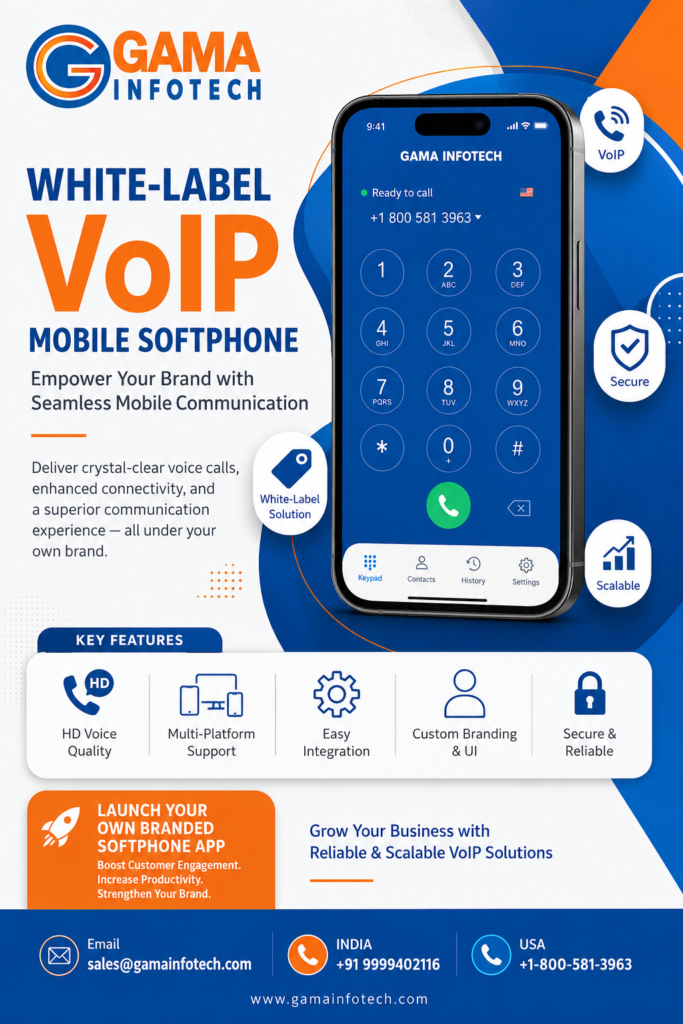
White-Label VoIP Mobile Softphone: Empower Your Brand with Seamless Mobile Communication

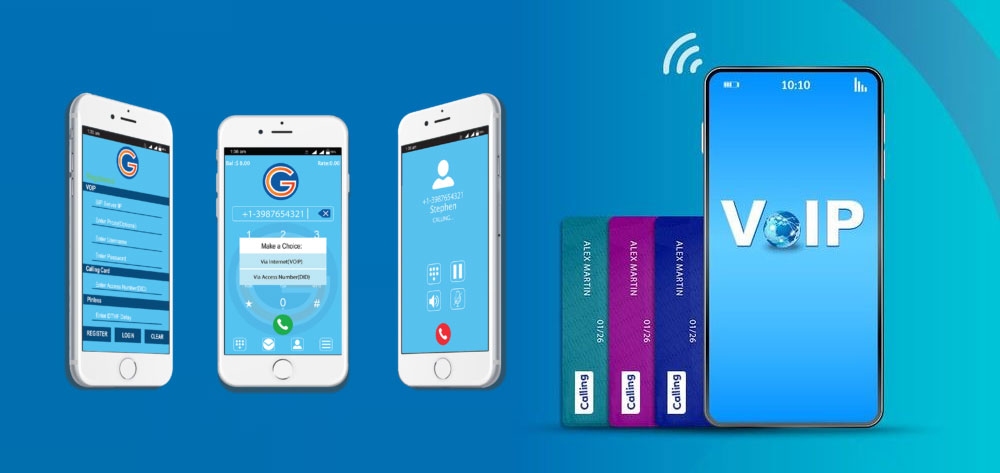
In the fast-paced world of telecommunications, mobility and branding are key drivers of success. With businesses and consumers increasingly relying on mobile devices for communication, having a reliable, customizable mobile softphone solution is essential. That’s where the White-Label VoIP Mobile Softphone comes in—a powerful product designed to help service providers and resellers offer feature-rich mobile VoIP services under their own brand. What is a White-Label VoIP Mobile Softphone? A softphone is a software application that enables voice and video calls over the internet via mobile devices, without the need for traditional phone hardware. A white-label solution allows companies to brand this softphone as their own, customizing the app’s look, feel, and features to match their identity. With our White-Label VoIP Mobile Softphone, providers can deliver a professional, seamless communication experience while strengthening their brand presence in the market. Key Features of Our White-Label VoIP Mobile Softphone 1. Custom Branding 2. Cross-Platform Compatibility 3. High-Quality Voice and Video Calls 4. Secure Communication 5. Advanced Calling Features 6. Easy Integration & Deployment Benefits of Offering a White-Label VoIP Mobile Softphone Use Cases: Who Can Benefit? How Our White-Label VoIP Mobile Softphone Works The mobile softphone connects users via the internet to your VoIP infrastructure through a softswitch. Calls are routed seamlessly with minimal latency, secured through encryption protocols. The solution supports push notifications to keep users connected even when the app is in the background. Why Choose Our White-Label VoIP Mobile Softphone? Conclusion In a world driven by mobile communications, offering your customers a White-Label VoIP Mobile Softphone is a strategic way to grow your brand and deliver top-tier communication services. Whether you’re a service provider looking to expand or a business seeking better mobility, our solution offers the perfect blend of technology, customization, and user experience. Ready to empower your brand with a sleek, reliable mobile softphone? Contact us today to learn more or request a demo!

White-Label VoIP Mobile Softphone: Empower Your Brand with Seamless Mobile Communication Read More »

wholesale softswitch billing

Wholesale Softswitch Billing Software: The Backbone of Efficient VoIP Billing for Service Providers

In today’s rapidly evolving telecommunications landscape, Voice over IP (VoIP) technology has transformed how businesses and individuals communicate. For service providers and resellers operating in the Wholesale VoIP market, managing call routing, customer accounts, and billing efficiently is paramount. This is where Wholesale Softswitch Billing Software comes into play—a powerful solution designed to streamline operations, automate billing, and enhance customer management. What is Wholesale Softswitch Billing Software? A Class 4 Softswitch is a software-based switching platform that manages voice and multimedia traffic over IP networks. In wholesale VoIP, the softswitch handles call routing, signaling, and control between different networks and customers. Wholesale Softswitch Billing Software is integrated with the softswitch to automate the billing process for wholesale VoIP providers. It tracks call usage, calculates charges based on customizable rating rules, generates invoices, and manages payments—all in an automated and transparent manner. Why is Billing Software Critical for Wholesale VoIP Providers? Billing is the financial backbone of any telecom service. For wholesale VoIP providers, who often handle thousands of customers and millions of call minutes, manual or inefficient billing can lead to errors, revenue leakage, and dissatisfied customers. Key billing challenges include: Wholesale Softswitch Billing Software addresses all these needs, providing a seamless end-to-end billing solution tailored for wholesale VoIP. Core Features of Wholesale Softswitch Billing Software 1. Flexible Call Rating and Pricing Models The software supports complex rating schemes including time-based, destination-based, volume discounts, and package-based billing. This flexibility allows providers to design competitive pricing models suited to diverse customer segments. 2. Multi-Tenant Management Manage multiple customers or resellers with separate accounts, billing cycles, and reporting. Each tenant can have customized tariffs and service levels, all handled within the same platform. 3. Real-Time Usage Monitoring and Reporting Operators can monitor call activity and revenue generation in real-time, enabling quick decision-making and proactive management of network resources. 4. Automated Invoice Generation and Payment Integration The system automatically generates detailed invoices and integrates with popular payment gateways for smooth transaction processing. This reduces manual effort and improves cash flow management. 5. Fraud Detection and Security Advanced fraud detection mechanisms alert operators to suspicious activities such as unusual call patterns or unauthorized access, helping minimize revenue loss. 6. Seamless Integration with Softswitches and Other Systems The billing software integrates seamlessly with various softswitch platforms (including the one offered by your company) and supports API connectivity for CRM, ERP, and customer portals. Benefits of Using Wholesale Softswitch Billing Software How Gama Infotech Supports Wholesale VoIP Providers At Gama Infotech, our Wholesale Softswitch Billing Software is crafted to meet the demanding needs of wholesale VoIP operators. Our solution offers: With our software, you can streamline your billing process, reduce operational costs, and enhance your customers’ experience—all while scaling your business efficiently. Emerging Trends in Wholesale VoIP Billing The telecom industry is continuously evolving, and so are billing software technologies. Some notable trends include: Conclusion Wholesale Softswitch Billing Software is a vital tool for VoIP service providers looking to optimize their billing operations, safeguard revenue, and deliver superior customer service. As competition grows and customer expectations rise, investing in a robust, scalable, and intelligent billing solution is no longer optional—it’s essential. If you want to learn more about how our Wholesale Softswitch Billing Software can transform your VoIP business, visit Gama Infotech’s Wholesale VoIP solutions or get in touch with our experts today.

Wholesale Softswitch Billing Software: The Backbone of Efficient VoIP Billing for Service Providers Read More »

all in one voip phone system

Complete All In One VoIP Phone System & White Label VoIP Mobile Softphone

If you have ever tried to “set up VoIP for a business” you probably know the feeling. At first it sounds simple. Get a SIP trunk. Pick a PBX. Add a softphone. Maybe a call recording add on. Done. Then you actually do it. Suddenly you are juggling a PBX server, a billing platform, a mobile app that breaks on the latest Android update, a CRM integration that only works on Tuesdays, and a support inbox full of “my calls have one way audio” messages. This is why all in one VoIP software solutions exist. And why white label VoIP mobile softphones are getting popular fast, especially for resellers, IT providers, and anyone building a communications brand without wanting to build the entire stack from scratch. Let’s walk through what “all in one” really means, what you should look for, and how a white label mobile softphone fits into the bigger picture. What “All In One VoIP” Actually Means (Not Just a Buzzword) A complete VoIP solution is not only a dialer and a SIP server. A real all in one platform usually bundles most of these pieces: When all of that is stitched together properly, you stop spending your weeks “connecting systems” and start spending time actually selling and supporting a phone service people can rely on. That is the promise, anyway. Who Needs an All In One VoIP Phone System? Not everyone. If you are a one person office and just need a simple line, a basic hosted PBX plan might be enough. All in one platforms make the most sense for: VoIP resellers and white label providers You want your own branding, your own plans, your own customer portal. But you do not want to engineer the PBX, VoIP Billing, and apps from zero. MSPs and IT service companies Your customers already expect you to “handle phones too”. The all in one approach lets you manage voice alongside networks, endpoints, and security, with less chaos. Call centers and multi site businesses Queues, recording, monitoring, reporting, wallboards, permissions. You need depth, not just dial tone. SaaS platforms that want embedded calling Sometimes calling is not the product, it is a feature. In that case, you need APIs, webhooks, and a softphone you can brand or embed. The Core Pieces of a Complete VoIP Software Solution There is a simple way to sanity check any “complete VoIP” claim. If a vendor cannot do these five areas well, it is not complete. It is a bundle. 1. Reliable call handling (the PBX brain) This includes the basics, but also the messy real life stuff: If you are evaluating, ask for a demo that shows a full inbound flow, from DID to IVR to queue to agent, with recording and reporting. Not slides. A real call. 2. Carrier grade security and SBC support VoIP is a magnet for fraud and brute force attempts. A serious platform should have: This is one of those areas where “it works in the lab” does not help you. You want a system designed to survive the internet. 3. Billing that matches how you actually sell Billing is where many VoIP businesses die slowly. It is not glamorous. But it has to be right. Look for: If you are doing white label, billing also needs to support brand specific invoice templates and separate payment gateways. 4. User experience and device coverage Customers will forgive a lot. They will not forgive an app that drops calls or fails push notifications. A complete solution usually includes: This is where white label mobile softphones matter, because the mobile experience becomes your brand in people’s pockets. 5. Reporting and visibility When a customer says “calls are bad” you need evidence fast. At minimum: The faster you can see what happened, the fewer support tickets turn into arguments. White Label VoIP Mobile Softphone: What It Is (And What It Isn’t) A white label VoIP mobile softphone is basically a ready built iOS and Android app that you can brand as your own, connect to your SIP or hosted PBX, and publish under your own developer accounts. So instead of telling customers, “Download this generic SIP app and type in server details,” you say, “Download our app,” and the login is simple. Often QR based. Sometimes SSO. It sounds cosmetic. It is not. The mobile softphone is the thing users touch every day. If it feels polished, your service feels premium. If it feels flaky, your network can be perfect and they still blame you. Key features you want in a white label mobile softphone Not optional, not “nice to have”. These are the basics. And then there is the real world part. The “annoying” details that matter a lot Most marketing pages skip these details. You should not. Why Providers Choose White Label Softphones Instead of Generic SIP Apps Generic SIP apps are fine for hobbyists and engineers. For a business brand, they come with problems: With a white label softphone, you get control and consistency. Also, you can standardize support. One app, one set of known behaviors, one training guide. And yes, branding helps. But the bigger win is operational. What “Complete” Looks Like When You Combine Platform + White Label Softphone If you are building a VoIP brand, the cleanest setup looks like this: When those pieces are actually integrated, onboarding becomes simple. No SIP server typing. No stun server guessing. No “what is my outbound proxy”. What to Look For When Choosing an All In One VoIP Solution This is the checklist I would personally use if I were evaluating vendors. Multi Reseller architecture, with proper reseller controls If you plan to white label, you need: If the platform is “multi reseller” but everything is still managed like one big account, it will hurt later. Strong onboarding and provisioning Look for: The more manual work required per customer, the less scalable your business is. Stable mobile push infrastructure Ask how push is implemented. Push is not “a

Complete All In One VoIP Phone System & White Label VoIP Mobile Softphone Read More »

mobile softphone

White Label VoIP Mobile Softphone for VoIP Carriers & Service Providers

If you run a VoIP business, you already know the awkward truth. Your customers want a mobile app. A real one. Not a web dialer. Not “use the phone’s native dialer and we’ll forward it.” They want an app that looks like your brand, logs calls, shows caller ID properly, supports push notifications, and basically just works. And you want the same thing. Because every time a customer asks, “Do you have an iPhone app?”, you can feel the churn probability rise by a few percent. So this is the post I wish I had when I first started looking into a white label VoIP mobile softphone. The kind that carriers and service providers can ship under their own name, without building an entire mobile engineering team from scratch. Let’s break it down. What it is, what it needs to do, what usually goes wrong, and how to choose something you can actually sell confidently. What “white label VoIP mobile softphone” really means (in practice) On paper, it sounds simple: A mobile softphone app, branded as your company, that connects to your VoIP platform. In practice, white label means more than a logo swap. A true white label softphone usually includes: And then there’s the unsexy part: who maintains it when Apple changes something, when Android breaks background behavior again, when push tokens expire, when a new device kills your audio routing. That’s why this market exists in the first place. Because building a softphone is not just “make calls over SIP.” It’s years of edge cases. Why carriers and VoIP providers go white label instead of building their own You can build your own. Plenty of teams try. But most providers eventually hit the same wall: 1. Call reliability is a product, not a feature You can have a beautiful app, perfect onboarding, great branding, and still lose customers if: Users don’t say “your SIP registration timer seems off.” They say “your service is bad.” 2. Push notifications and background calling are a minefield On mobile, you don’t get to stay connected forever like desktop. So you end up needing: And iOS in particular is strict. If your incoming calling experience isn’t aligned with how Apple expects it to behave, you’ll feel it. Reviews. Support tickets. Failed expectations. 3. Ongoing maintenance is the real cost The first version is expensive. The next 20 versions are what drain you. New OS releases, new device audio behavior, new privacy rules, changes in network policies. It doesn’t stop. With white label, you’re paying for a moving product. Not a one time deliverable. 4. Speed to market actually matters If you sell VoIP service to SMBs, call centers, field teams, or remote staff, the mobile app is part of the buying decision. Sometimes it’s the deciding factor. And if your competitor has a clean branded app and you have “we can offer a web dialer”, you’re going to lose deals you should have won. The minimum feature set you should demand (even if you’re “keeping it simple”) A lot of white label softphones look good in screenshots. Then you ship it and realize the basics are missing. Here’s what I’d consider the baseline for a carrier grade mobile softphone. Core calling and identity features “If you don’t have this, expect pain” features Business features that service providers sell around Depending on your market, you might need: Admin and diagnostics features (these save your support team) This is where a “carrier friendly” app separates itself from a generic softphone. Look for: If the vendor can’t explain how you troubleshoot real world issues, that’s a red flag. Because you will have real world issues. Provisioning models: how users actually get into the app Provisioning is the first impression. And it’s where so many white label apps quietly fail. The common models: Username and password Simple, but support heavy. Users forget passwords, mistype domains, and you end up with long tickets. Email OTP / magic link Great UX if implemented well. But it requires tight backend integration. QR code provisioning This is the sweet spot for a lot of providers. You generate a QR code inside your customer portal. The user scans it. Done. It reduces setup time from 10 minutes to 30 seconds and cuts support volume. If you only upgrade one thing in onboarding, do this. Auto provisioning via MDM for enterprise customers If you sell to bigger teams, MDM support is a serious advantage. It’s not always required, but when a buyer asks for it, they usually really mean it. SIP, WebRTC, or “hybrid” on mobile? Most carrier grade white label softphones are SIP based on mobile, because SIP is still what most VoIP platforms speak for voice. But you might see: You don’t need to become religious about it. What you need is predictable performance for your customer base. So ask the vendor: If they answer vaguely, assume you’ll be learning the hard way. Branding: what you can change, and what you usually can’t White label branding ranges from “we’ll change the logo” to “we’ll build you a custom UI”. Most providers end up in the middle. You want enough branding so customers feel like it’s yours, but not so much customization that updates become slow and expensive. Typically easy to customize: Sometimes possible, sometimes not: One practical approach is to treat the app like a product line. A standard build for most customers, then feature toggles you can turn on for premium plans. Recording, SMS, multiple lines, call transfer, whatever fits your pricing. The “carrier and service provider” requirements people forget to ask about This is the stuff that matters once you have 1,000 users. Or 10,000. Multi tenant support If you serve multiple resellers, brands, or enterprise customers, you might need: Some vendors handle this well. Some do not. Clarify early. App store ownership and publishing Who publishes the app? Options usually are: From a control and trust standpoint, publishing under your own accounts is cleaner. But it comes

White Label VoIP Mobile Softphone for VoIP Carriers & Service Providers Read More »

multi tenant pbx

Multi-Tenant PBX System – Cloud PBX for Resellers & Service Providers

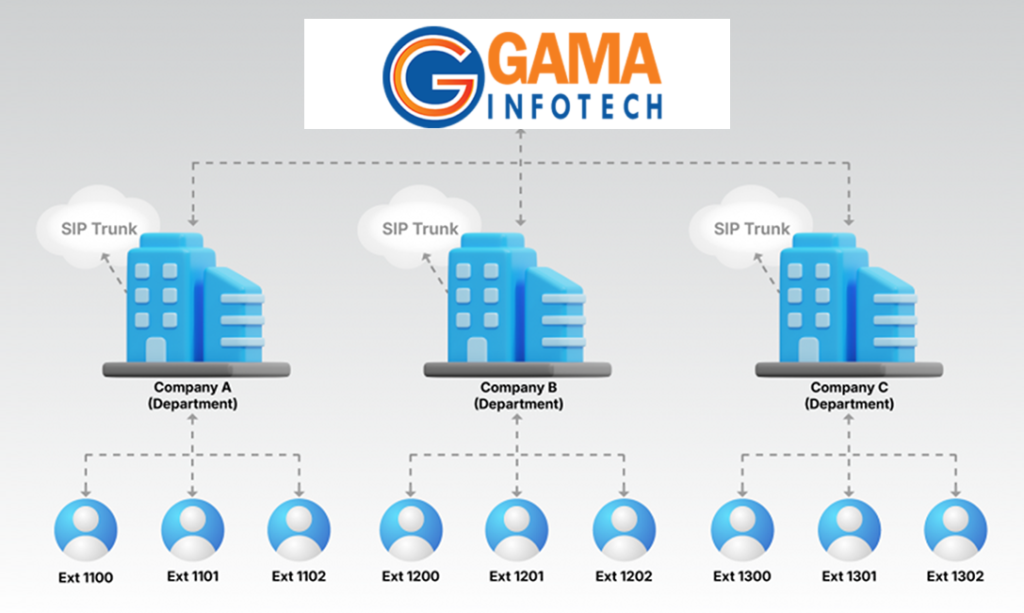
A Multi-Tenant PBX System is a cloud-hosted private branch exchange that allows multiple independent customers (tenants) to share the same PBX infrastructure securely. This system is ideal for resellers and service providers who want to offer telephony services to numerous clients without needing separate hardware for each. Core Key Features: Benefits for Resellers & Service Providers: 1. Understanding Multi-Tenant Cloud PBX A Multi-Tenant Cloud PBX is a centralized telephony platform hosted in the cloud that serves multiple customers (tenants) independently on the same infrastructure. Each tenant has its own isolated environment, ensuring privacy and customized features. Why Multi-Tenancy? 2. Core Components 3. Key Features to Offer 4. Technical Setup Overview 5. Business Model for Resellers & Providers 6. Advantages for Resellers & Providers 7. Challenges & Considerations 8. Getting Started Checklist By implementing a Multi-Tenant Cloud PBX System, resellers and service providers can efficiently scale their business, offer rich communication features, and build long-term customer relationships in the competitive telecom market.

Multi-Tenant PBX System – Cloud PBX for Resellers & Service Providers Read More »

Server rack infrastructure in data center representing cloud telephony and Class 5 softswitch deployment environment. Photo by Taylor Vick on Unsplash

Class 5 Softswitch for Cloud Telephony: Architecture, Features, and Deployment Roadmap for ITSPs

If you’re building or operating a cloud telephony business — whether as an ITSP, a hosted VoIP provider, or an MSP adding voice to your portfolio — the Class 5 softswitch is the platform your entire subscriber experience rides on. It’s not a background component. It governs whether your customers can reach voicemail, trigger IVR menus, forward calls to their mobile, or join a conference bridge. The architecture you choose, and the features it supports, determine both your service quality and your revenue ceiling. This guide covers the full picture: what a Class 5 softswitch actually does under the hood, the subscriber features that drive retention, the multi-tenancy and billing integrations that make a service provider business operationally viable, and the build roadmap if you’re considering a custom platform. It’s written for operators who need to make real decisions, not for people who just want a definition. Understanding Class 5 Softswitch: The Subscriber-Facing Core of Cloud Telephony A Class 5 softswitch is the layer of your VoIP network that deals directly with end users — authenticating subscribers, managing their registrations, routing their calls, and delivering the feature set they pay for. If Class 4 is your carrier highway (handling bulk, long-distance transit between networks), Class 5 is the on-ramp and off-ramp that connects individual subscribers to that highway. Class 5 softswitches manage local call delivery and advanced features for end users. In practice, this means the platform handles SIP registration from a subscriber’s IP phone, softphone, or mobile client; authenticates credentials; determines routing; applies features like call forwarding or voicemail; and generates Call Detail Records (CDRs) for billing. None of that happens at the Class 4 layer, which is purely concerned with carrier-to-carrier transit. Historically, these functions lived in hardware central office switches. A Class 5 switch served as a telephone routing exchange connecting the calling client to the called client through an IP network and the Public Switched Telephone Network (PSTN). The modern software-based equivalent does all of this on commodity Linux servers in a cloud environment — without proprietary hardware, without per-port licensing tied to physical capacity, and without the capital expenditure of legacy infrastructure. The practical result for cloud telephony providers: a Class 5 switch can handle registration, call setup, routing, and teardown while ensuring compatibility with softphones, mobile phones, SIP trunks, and IP phones. That compatibility across endpoint types is fundamental — your subscribers might be on a desk phone, a mobile SIP client, or a browser-based WebRTC softphone, and the switch needs to handle all of them transparently. Who Deploys a Class 5 Softswitch? The use cases span a wide range of operators. ISPs offering bundled VoIP services to residential and small business customers require Class 5 softswitches for local call management and value-added features. UCaaS providers building integrated voice, video, and messaging platforms use them as the call control core. ITSPs launching calling card, callback, or hosted PBX products all depend on Class 5 infrastructure. The common thread: any service that involves subscriber accounts, per-user features, and retail billing needs a Class 5 platform. Key Features of a Cloud-Ready Class 5 Softswitch A cloud-ready Class 5 softswitch must do more than route calls. The feature set determines your competitive positioning — whether you can serve residential, SMB, and enterprise segments from a single platform, and whether subscribers stay or churn when a competitor offers more functionality. Core features should include call forwarding, call waiting, voicemail, DND, IVR, conferencing, and number portability support. Beyond these baseline capabilities, the platform should support DID management, call recording, time-based routing, hunt groups, and auto-attendants. Advanced features such as call analytics, real-time monitoring, customizable dial plans, and white-label portals can help differentiate your offerings. Here’s how to think about each feature category from an operator’s perspective: Subscriber Authentication and Security Class 5 softswitches offer strong call authentication mechanisms to verify user identities before call initiation, preventing fraudulent usage and protecting VoIP accounts from unauthorized access. This matters operationally because toll fraud on a poorly secured VoIP platform can generate thousands of dollars in unexpected carrier charges overnight. Essential security capabilities include SIP authentication, IP whitelisting, rate limiting, and anomaly detection. Hosted PBX and IP Centrex For business users, Class 5 switching offers hosted PBX and IP Centrex services without the need for on-site hardware. It supports hunt groups, auto attendants, and role-based call control. This is the feature tier that lets you compete in the SMB market without asking customers to buy and manage on-premise equipment. The switch provisions these features per tenant, allowing an MSP to offer fully managed hosted PBX to hundreds of business accounts from a single platform. Call Center Features Call center support includes ACD (automatic call distribution), IVR integration, live call monitoring, and agent performance reporting. For ITSPs targeting contact center customers or adding contact-center-as-a-service to their portfolio, this feature set is a meaningful revenue differentiator. It elevates the platform from a simple voice pipe to a business productivity tool. Calling Card and Prepaid Services Class 5 softswitches support calling card platforms with PIN validation, intelligent routing, call holding during transfers, and call forwarding to alternate numbers. For ITSPs targeting diaspora communities or international calling markets, calling card services remain a viable and high-margin business model — and they require the Class 5 layer to handle authentication, balance deduction, and call routing in real time. Architecture Overview: Signaling, Media Handling, and Database Layers A Class 5 softswitch is not a monolithic application. Understanding the component architecture matters when you’re evaluating scalability, redundancy options, and integration points — because the design of these layers determines where bottlenecks form and how you address them. A softswitch comprises two core components: a media gateway or access gateway for processing media streams, and a call agent or call feature server for handling call control, routing, and signalling. In modern cloud deployments, these functions are further decomposed: Signaling Layer The signaling layer handles SIP message processing — REGISTER, INVITE, BYE, and the full session lifecycle. Tools like Kamailio

Class 5 Softswitch for Cloud Telephony: Architecture, Features, and Deployment Roadmap for ITSPs Read More »

Modern VoIP desk phone in professional office setting representing cloud PBX systems

Cloud PBX Systems Explained: What Enterprise Buyers Need to Know Before Switching

A cloud PBX replaces your on-premise phone hardware with a software-defined switching system hosted in vendor-managed data centers and delivered over the internet. Your team makes and receives calls, manages extensions, configures routing rules, and accesses voicemail from any device — without a single rack of PBX equipment in the server room. For organizations evaluating modern business phone systems, understanding exactly how this works — and where the trade-offs lie — is what separates a good purchasing decision from a costly migration mistake. What Is Cloud PBX? A cloud PBX (Private Branch Exchange) is a business telephony system hosted off-premises by a service provider and accessed via the internet using VoIP (Voice over Internet Protocol). It performs all the same switching and routing functions as a traditional hardware PBX — connecting internal extensions, routing inbound calls, managing voicemail, and bridging to the PSTN — but without any physical equipment on your site. Cloud PBX systems are also known by several interchangeable names: VoIP PBX, IP PBX, hosted PBX, virtual PBX, or IPBX — all using internet protocol to carry calls. The terminology varies by vendor and region, but the underlying architecture is consistent: your business phone system is hosted in the cloud and works entirely over the internet — no physical hardware needed — and is designed to efficiently manage inbound, outbound, and internal calls by routing them to the appropriate departments, teams, or user extensions. The distinction that matters for enterprise buyers is between hosted PBX and true cloud PBX. A hosted PBX is a traditional PBX system that has been moved off-site to a third-party provider’s physical data center — this setup offers some flexibility compared to fully on-premises PBX, but it still depends on physical servers and can have limitations in scalability and updates. Cloud PBX goes one step further by eliminating the physical hardware altogether. Instead of connecting to a co-located server, your business uses a software-based PBX hosted entirely in the cloud. All call routing, features, and management tools are delivered virtually via internet connection — making cloud PBX solutions easier to scale, more flexible for remote work, and often bundled with other digital communications tools. The hosted PBX market is experiencing rapid growth as more businesses move away from legacy phone systems — by 2032, it is expected to reach $36.28 billion globally. That trajectory reflects a real shift in how enterprises think about communications infrastructure: from a capital asset to a managed service. How Cloud PBX Works: Architecture and Protocols Under the hood, a cloud PBX is a distributed system of SIP proxies, media servers, and Session Border Controllers (SBCs) orchestrated to handle call signaling and media transport at scale. Understanding this architecture matters when you are evaluating reliability, security posture, and integration capabilities. Call signaling in a cloud PBX travels over SIP (Session Initiation Protocol). When a user dials an extension or external number, their SIP client (desk phone, softphone, or mobile app) sends a SIP INVITE message to the cloud PBX platform. The caller dials a number, the network routes the call to the SIP provider, the SIP provider forwards the call to your SIP trunk, and your PBX receives the SIP INVITE and routes it to an extension, queue, or IVR. Media (RTP) then flows directly between endpoints or via media proxies and SBCs for security. The Session Border Controller (SBC) is a mandatory component in any production cloud PBX deployment. The SBC provides topology hiding, SIP normalization, policy enforcement, and media anchoring. It sits at the perimeter of your cloud PBX environment, protecting the core switching infrastructure from exposure to the public internet while ensuring interoperability between different SIP implementations. For media encryption, the industry standard pairing is TLS for SIP signaling and SRTP for media transport. TLS secures SIP signaling and SRTP secures the media streams where supported. SRTP extends RTP to include encryption and authentication so that all SIP and WebRTC conversations are as secure as possible — with audio and video media data transported and protected by SRTP/DTLS-SRTP with AES-256 encryption. Multi-tenancy is the architectural feature that makes cloud PBX economically viable for service providers and enterprises with multiple business units. A multi-tenant architecture is essential for a cloud PBX given its need to serve many businesses — in this setup, each business acts as a separate tenant within the cloud PBX, and these tenants are isolated from one another, each perceiving that they have their own dedicated PBX in the cloud. Without true multi-tenancy, service providers would need to set up a separate PBX instance for each tenant — an approach that would not only be challenging to manage and maintain but would also consume massive server resources. Modern cloud PBX platforms are also incorporating WebRTC to extend browser-native communication. WebRTC delivers peer-to-peer media with DTLS-SRTP encryption, Data Channels for co-browsing, and ML-driven congestion control for consistent quality over variable networks — with Selective Forwarding Units enabling scalable video rooms, click-to-call in Salesforce and HubSpot, and in-app softphones without desk hardware or plugins. Core Features of a Cloud PBX System The feature set of a mature cloud PBX goes well beyond basic call handling. These are the capabilities that translate directly to operational efficiency, compliance coverage, and measurable business outcomes. Auto-Attendant and IVR An auto-attendant acts as a virtual receptionist, greeting callers with a customized message and providing options to route them to the appropriate department or extension. In a cloud PBX, multi-level IVR trees are configured entirely through a web interface — no vendor ticket, no engineer call. Look for solutions that let you edit menus without raising a support ticket, schedule time-based routing, and connect directly with call queues — rigid configuration is often a sign of a legacy system disguised as cloud. For enterprises, the business value is direct: a well-configured IVR reduces receptionist load, ensures calls land with the right team on the first attempt, and maintains professional call handling outside business hours. Intelligent routing goes beyond a basic queue

Cloud PBX Systems Explained: What Enterprise Buyers Need to Know Before Switching Read More »

calling card system

Cloud Mobile Softphone Explained: Architecture, Deployment, and Operational Fit for Distributed Teams

Managing voice communications across a distributed workforce used to mean one of two things: desk phones tethered to an office LAN, or an on-premises PBX system that required a dedicated server room, a maintenance contract, and a reason for employees to be physically present. Neither assumption holds up when half your team works remotely and the other half splits time between office, home, and client sites. A cloud mobile softphone changes the architectural foundation. The telephony stack moves off your premises, your users carry their business lines on devices they already own, and your IT team manages the entire system from a single administrative dashboard. That shift has operational, financial, and security consequences worth understanding before you evaluate vendors or finalize a deployment model. What Is a Cloud Mobile Softphone and How Does It Differ From Traditional Phones? A cloud mobile softphone is a software application that turns any internet-connected device—laptop, smartphone, tablet, or desktop—into a fully functional business phone by connecting it to a hosted cloud PBX rather than physical hardware or an on-premises server. The distinction matters more than it first appears. Traditional desk phones are purpose-built hardware endpoints that register to a PBX—either on-premises or hosted—over a local network. They require physical installation, network drops, power-over-Ethernet switches, and manual provisioning per device. On-premises phone systems can be expensive to set up because of the equipment needed—IP phones, SIP trunking, and a dedicated room in your office for the equipment. When something breaks, either your IT staff fixes it or a third-party vendor does, at cost. On-premises softphones replaced hardware endpoints with software clients, but they still registered to a PBX running inside your building. The calling infrastructure remained local: your server, your maintenance, your problem when a firmware update breaks the SIP stack at 2 a.m. A physical PBX phone system means anyone needing to make calls needs to physically be in the office—remote employees can’t dial in and make or receive calls away from their desks. Cloud softphones move the PBX itself off-premises. Softphones are cloud-based and enable remote business communications, whereas hardphones are premise-based and require employees to be physically in the office to access their business phone system. The phone system lives in the provider’s infrastructure—geo-redundant data centers, managed SIP servers, and cloud-hosted routing logic—while users connect through a lightweight app on the device of their choice. Hosted phone systems are more often more reliable than their traditional counterparts. Your hosted PBX provider is responsible for the maintenance, security, and general upkeep of your cloud phone system. That operational transfer is precisely what makes cloud softphones attractive to IT managers overseeing distributed teams: you offload infrastructure management without sacrificing feature depth. How Cloud Mobile Softphones Work: WebRTC, SIP Clients, and Cloud PBX Integration Cloud mobile softphones communicate using two primary protocol stacks: SIP-based clients that register directly to a cloud PBX, and WebRTC-based clients that route calls through a browser or native app. Understanding the architecture of each helps you make the right deployment decision for your team’s scale and requirements. SIP-Based Cloud Mobile Softphones Traditional mobile softphones introduced businesses to the power of voice-over-IP technology, transforming standard internet connections into sophisticated communication tools. These software-based phone systems operate through the SIP protocol, enabling voice communication over internet networks rather than traditional phone lines. In a cloud deployment, the SIP client on the user’s device registers to a hosted PBX—built on platforms like FreeSWITCH, Asterisk, or Kamailio—over the public internet. The signaling plane (SIP) handles call setup, teardown, and feature negotiation. The media plane (RTP) carries the actual voice packets. A Session Border Controller (SBC) typically sits between your users and the cloud PBX, handling NAT traversal, security enforcement, and protocol translation. Mobile Softphone settings are stored on a cloud server—the provisioning server. Once an agent starts a SIP softphone and logs in with their credentials, the softphone downloads its configuration settings from the server. It takes less than one second. Neither a system administrator nor an agent needs to enter any configuration settings. An agent has a preconfigured application and can start making calls immediately. SIP softphones offer the widest range of functions that are guaranteed to work with any cloud PBX, as well as with specialized server software for a call center. This makes them the preferred choice for organizations running high-volume calling environments, advanced IVR flows, or integration with legacy carrier infrastructure. WebRTC-Based Cloud Mobile Softphones WebRTC (Web Real-Time Communication) takes a different approach. Modern communication platforms powered by WebRTC deliver enhanced capabilities, including superior audio quality, seamless video integration, and robust security features. The technology operates natively within web browsers, eliminating the complexity associated with traditional softphone installations while providing more advanced features and better performance. The fundamental difference lies in WebRTC’s ability to establish peer-to-peer connections directly between browsers. This capability reduces latency, improves call quality, and enables more efficient data transmission compared to traditional softphone solutions. WebRTC’s architecture also includes built-in media processing capabilities and advanced codec support, ensuring superior communication quality across different devices and network conditions. Where WebRTC-based softphones need to connect to a PSTN carrier—for outbound calling to regular phone numbers—they rely on a backend bridge. The backend, running in the cloud or in a private Kubernetes cluster, converts WebRTC into regular VoIP (SIP) so calls can be exchanged with ordinary VoIP systems and carriers. This translation layer is invisible to the end user but critical to the architecture: it means WebRTC endpoints interoperate with SIP carriers, hosted PBXs, and PSTN gateways without requiring users to install SIP clients. With WebRTC, you can call and be called through your browser on your PC or Mac, or through a mobile application, from any location. With web-based solutions, businesses can easily expand to meet growing demand and effectively manage high call traffic. For organizations building or evaluating white-label softphone solutions, Gama Infotech offers cross-platform options—including Android Communicator for OTT VoIP deployments and an iPhone Softphone—designed to integrate with any SIP-compliant cloud PBX or softswitch. Why Distributed

Cloud Mobile Softphone Explained: Architecture, Deployment, and Operational Fit for Distributed Teams Read More »

what is voip

VoIP Softswitch Development and Implementation: A Technical Guide for CTOs and Telecom Architects

If you’re building or scaling a VoIP business, the softswitch isn’t just another component in your stack — it’s the decision engine that determines whether your infrastructure can support growth, deliver quality, and remain profitable over time. This guide is written for the technical and business leaders who make those architecture decisions: CTOs at ITSPs, telecom startup founders evaluating their first platform, and wholesale VoIP architects looking at a re-architecture. We’ll cover the full lifecycle: softswitch definition and architecture, class selection, protocol requirements, scalability design, build-vs-buy trade-offs, OSS/BSS integration, security and compliance, vendor evaluation, and realistic cost modeling. No filler, no vendor cheerleading — just the information you need to make defensible decisions. What Is a VoIP Softswitch? Definition, Architecture & Role in Modern Telecom A VoIP softswitch is a software-based platform that performs call routing, signaling control, and session management over IP networks — replacing the role once filled by dedicated TDM hardware switches. It sits at the heart of every carrier-grade VoIP deployment, making real-time decisions about where each call goes, which codec to use, and how to bill for it. According to AWS’s Real-Time Communication reference architecture, a softswitch provides the intelligence for establishing, maintaining, and routing voice calls within or outside the enterprise. Every subscriber must register with the softswitch to send or receive calls, and it continuously tracks subscriber state and reachability using supporting network components. Architecturally, a modern softswitch separates two planes of operation: The Signaling Plane handles call setup, modification, and teardown. It processes SIP (Session Initiation Protocol) messages, manages registration, enforces dial plans, applies routing logic, and interfaces with the billing system to track Call Detail Records (CDRs). This is where your business logic lives: Least Cost Routing (LCR), number translation (ENUM lookups), fraud rules, and quality-based routing all operate here. The Media Plane handles the actual voice packets. RTP (Real-time Transport Protocol) streams carry audio between endpoints, while the softswitch or an associated media gateway manages transcoding between codecs, handles NAT traversal, and enforces encryption via SRTP. In high-performance deployments, the media plane is deliberately separated from the signaling plane — running on dedicated media servers or RTP proxies — to prevent signaling bottlenecks from degrading audio quality. Between these two planes, a well-architected softswitch also incorporates a Session Border Controller (SBC) at the network edge. The SBC sits at the edge of the voice network, tracking all incoming and outgoing traffic across both control and data planes, absorbing malicious traffic before it can reach core softswitch infrastructure. Most modern SIP trunks are established through SBCs rather than direct connections to the core softswitch. Understanding this two-plane architecture matters before you make any procurement or build decision. A platform that conflates signaling and media processing on a single node will hit scalability limits much earlier than one that separates them — and retrofitting that separation later is painful. Class 4 vs Class 5 Softswitch: Which Does Your Business Need? The single most important architectural decision for any ITSP or carrier is whether you need a Class 4 softswitch, a Class 5 softswitch, or both. These aren’t just marketing labels — they represent fundamentally different traffic models, feature sets, and infrastructure requirements. Class 4 softswitches handle long-distance calls and wholesale traffic, focusing on routing calls across large networks, while Class 5 softswitches manage local call delivery and advanced features for end users. A call originating in one country is typically routed by a Class 4 softswitch to another country, where a Class 5 softswitch takes over to deliver the call to the recipient. Dimension Class 4 Softswitch Class 5 Softswitch Primary Function Wholesale transit routing between carriers and across long distances Retail voice delivery to end users (residential and business) Traffic Model High-volume, carrier-to-carrier, international long distance Local and national calls, PBX-style service delivery Key Features LCR, protocol transcoding, CDR generation, inter-carrier billing, fraud detection IVR, voicemail, call forwarding, calling cards, conferencing, auto-attendant, DID management Protocol Support SIP, H.323, MGCP — inter-network protocol conversion is essential SIP primarily, with SIP-to-PSTN gateway capability Scalability Focus Concurrent calls (thousands to tens of thousands), CPS (calls per second) Subscriber count, feature richness per user, multi-tenancy Typical User Wholesale VoIP carrier, international transit provider, Tier 1/2 operator ITSP, hosted PBX provider, UCaaS platform, residential VoIP provider Billing Model Per-minute wholesale billing, inter-carrier settlements Per-user monthly subscriptions, prepaid calling cards, usage-based Infrastructure Cost Higher — carrier-grade hardware or bare metal for peak concurrency Moderate — cloud-deployable, scales with subscriber base When to Use You route minutes for other carriers, run international traffic, or operate a wholesale termination business You sell phone numbers and features directly to businesses or consumers The practical implication: Class 4 softswitches are built to handle thousands of concurrent calls with minimal latency — this scalability makes them ideal for wholesale VoIP providers and international carriers. Class 5 systems trade raw call volume capacity for feature depth, managing per-user state like voicemail boxes, call queues, and IVR menus. A third option worth considering is a hybrid softswitch, which combines Class 4 transit capabilities with Class 5 subscriber management. This is the architecture most ITSPs eventually converge on as they grow: you need the retail features to win enterprise customers, but you also need efficient wholesale routing to control termination costs. The trade-off is complexity — hybrid platforms require more careful capacity planning and have more integration surface area to maintain. If you’re a startup with limited capital, start with Class 5 and purchase wholesale transit from an upstream carrier. Trying to operate Class 4 infrastructure at low traffic volumes is economically inefficient. If you’re a wholesale carrier or transit provider, Class 4 is your core platform and Class 5 features are unnecessary overhead. Core Components of a VoIP Softswitch System A production-grade VoIP softswitch is never a single process or binary — it’s a system of coordinated components. Understanding what each component does helps you evaluate vendor platforms honestly and design custom architectures that don’t have hidden single points of failure. SIP Proxy

VoIP Softswitch Development and Implementation: A Technical Guide for CTOs and Telecom Architects Read More »

multi tenant pbx

What Is a Multi-Tenant PBX and Why Does It Power Profitable Hosted VoIP Businesses?

Multi-tenant PBX is not simply a way to save server costs. It is the architectural decision that determines whether a hosted telephony business can scale to hundreds of customers, maintain per-customer isolation, and deliver profitable margins without a corresponding explosion in operational overhead. The hosted PBX market generated an estimated USD 13.2 billion in revenue in 2024, and it is projected to grow at a CAGR of 16.8% from 2025 to 2032. Service providers and technical evaluators who understand how multi-tenancy works at a structural level are far better positioned to build and operate in that market than those who treat it as a generic checkbox. What Is a Multi-Tenant PBX? A multi-tenant PBX is a single hosted telephony platform that simultaneously serves multiple independent business customers—called tenants—on shared underlying infrastructure, while keeping each customer’s data, configuration, and call flows completely separated from every other. A multi-tenant PBX is a phone system where multiple businesses share the same PBX infrastructure. Each tenant is isolated at the software level, with separate user accounts, extensions, call flows, and configurations—but all share the same core system, servers, and resources. The critical word is logical isolation: tenants share physical or cloud compute resources, but the software enforces strict boundaries so that no tenant can see or access another’s environment. The analogy that maps most accurately to the architecture is an apartment building. One massive high-rise building has one central foundation, one main water supply, and one security team—but inside there are separate apartments. Apartment 4B cannot see into Apartment 4C. They share the infrastructure but live in complete privacy. In PBX terms, the building is the server cluster; the apartments are the tenants; and the shared plumbing is the SIP stack, processing power, and memory that serve every customer without any customer owning or accessing those layers directly. This stands in contrast to traditional on-premises telephony, where each business ran its own dedicated hardware. It also differs from a simple “multiple instances” approach, where providers deploy a separate virtual machine per customer—a model that may look multi-tenant from the outside but carries the operational costs of single-tenancy inside. Multi-Tenant vs. Single-Tenant PBX: Key Architectural Differences The choice between these two architectures shapes cost structure, scalability ceilings, security posture, and operational complexity from day one. The core distinction between multi-tenant and single-tenant PBX comes down to how an organization handles matters of growth, data safety, and budget. Here is how the two approaches compare across the dimensions that matter most to service providers and technical evaluators: Dimension Multi-Tenant PBX Single-Tenant PBX Infrastructure Shared servers, SIP stack, and database across all customers Dedicated instance per customer—separate VM or hardware per client Isolation model Logical isolation enforced by software partitioning and access controls Physical or virtual isolation; each instance is fully independent Cost structure Infrastructure costs amortized across multiple tenants, reducing total cost of ownership (TCO) Larger upfront capital expenditure (CapEx) for dedicated hardware or a premium recurring fee for full isolation Provisioning speed Multi-tenant systems often go live in days or weeks Slower; requires provisioning a full instance per customer Update management The provider rolls out new features, bug fixes, and patches centrally; all tenants benefit without scheduling upgrades Updates must be managed per instance; risk of version fragmentation Customization depth Per-tenant configuration within platform limits; some constraints on system-level changes Bespoke workflows, custom call routing, API integrations—tailored end to end Performance isolation Resource pooling benefits idle tenants; “noisy neighbor” risk must be managed with QoS policies Without “noisy neighbors,” guaranteed resource reservations and performance metrics Compliance suitability Strong for most use cases; regulated industries (healthcare, finance) may require additional controls Regulated industries—healthcare (HIPAA), finance (PCI-DSS), government—where data isolation is critical often prefer or require this model Best fit VoIP service providers, MSPs, ITSPs, hosted PBX operators managing many SME clients Large enterprises, high-volume call centers, organizations with bespoke compliance requirements Neither model is universally superior. The choice between single-tenant and multi-tenant IP PBX systems depends on the specific needs of the organization or service provider. Both have advantages and disadvantages. For providers whose business model depends on serving dozens or hundreds of SME customers from a central platform, however, true multi-tenancy is the only architecture that delivers the economics and operational simplicity that makes that model viable. How Multi-Tenancy Works: Shared Infrastructure with Logical Isolation The engineering challenge in multi-tenant PBX is straightforward to state and demanding to execute: use one system to serve many customers, without any customer ever touching another’s data, calls, or configuration. The solution lies in a layered architecture with distinct roles at each level. The Three-Layer Control Model The master node (super admin) is the level accessible only to the multi-tenant PBX provider. From here, the provider creates new tenants, sets global limits such as maximum concurrent calls, and manages billing. Below that sits the tenant partition layer, and within each partition, an optional reseller or tenant admin layer. When a new client is onboarded, the system carves out a virtual slice of the PBX. This partition includes its own database tables or distinct identifiers for users, CDRs (Call Detail Records), and configurations. From the tenant’s perspective, the system looks and behaves exactly like a dedicated PBX. They see only their own extensions, call queues, IVRs, and recordings—because the platform enforces strict namespace separation at the data layer. A multi-tenant architecture uses a single instance of a software application to serve multiple customers. In this model, tenants share common system components—such as security mechanisms, business logic, and resource management—while remaining logically isolated from one another. This isolation ensures that each tenant’s data, configuration, and operational settings remain private and secure. Shared Resources and Efficient Utilization The expensive parts—the processing power, the memory, the SIP stack that handles calls—are shared. This ensures that if one tenant is idle, their allocated processing power can be used by another tenant who might be experiencing high call volume. This statistical multiplexing is fundamental to the cost advantage of multi-tenancy: rather than provisioning dedicated

What Is a Multi-Tenant PBX and Why Does It Power Profitable Hosted VoIP Businesses? Read More »