
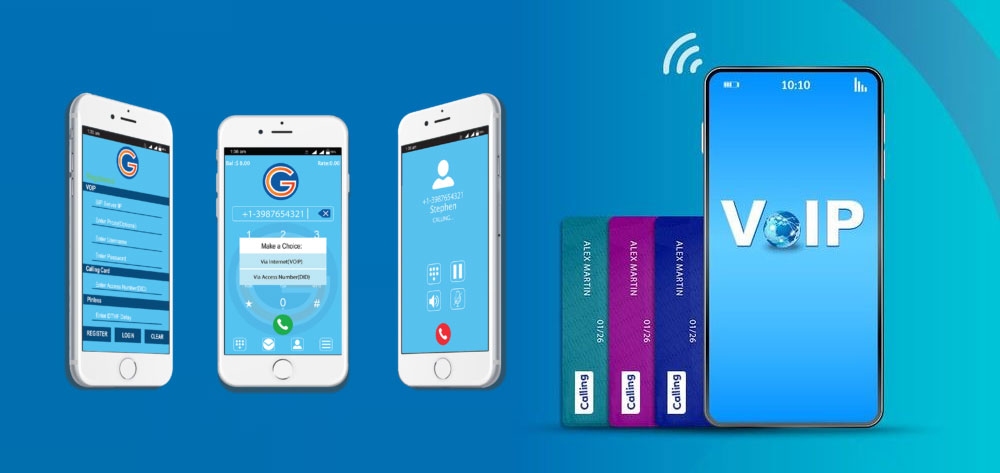
Managing voice communications across a distributed workforce used to mean one of two things: desk phones tethered to an office LAN, or an on-premises PBX system that required a dedicated server room, a maintenance contract, and a reason for employees to be physically present. Neither assumption holds up when half your team works remotely and the other half splits time between office, home, and client sites.
A cloud mobile softphone changes the architectural foundation. The telephony stack moves off your premises, your users carry their business lines on devices they already own, and your IT team manages the entire system from a single administrative dashboard. That shift has operational, financial, and security consequences worth understanding before you evaluate vendors or finalize a deployment model.
What Is a Cloud Mobile Softphone and How Does It Differ From Traditional Phones?
A cloud mobile softphone is a software application that turns any internet-connected device—laptop, smartphone, tablet, or desktop—into a fully functional business phone by connecting it to a hosted cloud PBX rather than physical hardware or an on-premises server. The distinction matters more than it first appears.
Traditional desk phones are purpose-built hardware endpoints that register to a PBX—either on-premises or hosted—over a local network. They require physical installation, network drops, power-over-Ethernet switches, and manual provisioning per device. On-premises phone systems can be expensive to set up because of the equipment needed—IP phones, SIP trunking, and a dedicated room in your office for the equipment. When something breaks, either your IT staff fixes it or a third-party vendor does, at cost.
On-premises softphones replaced hardware endpoints with software clients, but they still registered to a PBX running inside your building. The calling infrastructure remained local: your server, your maintenance, your problem when a firmware update breaks the SIP stack at 2 a.m. A physical PBX phone system means anyone needing to make calls needs to physically be in the office—remote employees can’t dial in and make or receive calls away from their desks.
Cloud softphones move the PBX itself off-premises. Softphones are cloud-based and enable remote business communications, whereas hardphones are premise-based and require employees to be physically in the office to access their business phone system. The phone system lives in the provider’s infrastructure—geo-redundant data centers, managed SIP servers, and cloud-hosted routing logic—while users connect through a lightweight app on the device of their choice.
Hosted phone systems are more often more reliable than their traditional counterparts. Your hosted PBX provider is responsible for the maintenance, security, and general upkeep of your cloud phone system. That operational transfer is precisely what makes cloud softphones attractive to IT managers overseeing distributed teams: you offload infrastructure management without sacrificing feature depth.
How Cloud Mobile Softphones Work: WebRTC, SIP Clients, and Cloud PBX Integration

Cloud mobile softphones communicate using two primary protocol stacks: SIP-based clients that register directly to a cloud PBX, and WebRTC-based clients that route calls through a browser or native app. Understanding the architecture of each helps you make the right deployment decision for your team’s scale and requirements.
SIP-Based Cloud Mobile Softphones
Traditional mobile softphones introduced businesses to the power of voice-over-IP technology, transforming standard internet connections into sophisticated communication tools. These software-based phone systems operate through the SIP protocol, enabling voice communication over internet networks rather than traditional phone lines.
In a cloud deployment, the SIP client on the user’s device registers to a hosted PBX—built on platforms like FreeSWITCH, Asterisk, or Kamailio—over the public internet. The signaling plane (SIP) handles call setup, teardown, and feature negotiation. The media plane (RTP) carries the actual voice packets. A Session Border Controller (SBC) typically sits between your users and the cloud PBX, handling NAT traversal, security enforcement, and protocol translation.
Mobile Softphone settings are stored on a cloud server—the provisioning server. Once an agent starts a SIP softphone and logs in with their credentials, the softphone downloads its configuration settings from the server. It takes less than one second. Neither a system administrator nor an agent needs to enter any configuration settings. An agent has a preconfigured application and can start making calls immediately.
SIP softphones offer the widest range of functions that are guaranteed to work with any cloud PBX, as well as with specialized server software for a call center. This makes them the preferred choice for organizations running high-volume calling environments, advanced IVR flows, or integration with legacy carrier infrastructure.
WebRTC-Based Cloud Mobile Softphones
WebRTC (Web Real-Time Communication) takes a different approach. Modern communication platforms powered by WebRTC deliver enhanced capabilities, including superior audio quality, seamless video integration, and robust security features. The technology operates natively within web browsers, eliminating the complexity associated with traditional softphone installations while providing more advanced features and better performance.
The fundamental difference lies in WebRTC’s ability to establish peer-to-peer connections directly between browsers. This capability reduces latency, improves call quality, and enables more efficient data transmission compared to traditional softphone solutions. WebRTC’s architecture also includes built-in media processing capabilities and advanced codec support, ensuring superior communication quality across different devices and network conditions.
Where WebRTC-based softphones need to connect to a PSTN carrier—for outbound calling to regular phone numbers—they rely on a backend bridge. The backend, running in the cloud or in a private Kubernetes cluster, converts WebRTC into regular VoIP (SIP) so calls can be exchanged with ordinary VoIP systems and carriers. This translation layer is invisible to the end user but critical to the architecture: it means WebRTC endpoints interoperate with SIP carriers, hosted PBXs, and PSTN gateways without requiring users to install SIP clients.
With WebRTC, you can call and be called through your browser on your PC or Mac, or through a mobile application, from any location. With web-based solutions, businesses can easily expand to meet growing demand and effectively manage high call traffic.
For organizations building or evaluating white-label softphone solutions, Gama Infotech offers cross-platform options—including Android Communicator for OTT VoIP deployments and an iPhone Softphone—designed to integrate with any SIP-compliant cloud PBX or softswitch.
Why Distributed Teams Are Adopting Cloud Mobile Softphones

The shift to cloud mobile softphones among distributed teams is not primarily about technology novelty—it is about solving concrete operational problems that on-premises systems cannot address without significant capital investment.
Business continuity without physical dependency. A cloud-hosted solution is much more flexible for distributed and remote teams in multiple locations. When employees move between home office, co-working spaces, and client sites, their business phone number moves with them—same extension, same presence status, same call history.
Significant cost reduction. All VoIP providers offer unlimited local and long-distance calling with competitive international calling rates and don’t require expensive on-premises hardware. Making the switch from traditional landlines to VoIP can cut your business’s current telecom expenses in half. The elimination of hardware refreshes, per-seat desk phone maintenance, and on-site PBX support contracts compounds those savings over time.
Improved first-call resolution. Softphones connect customers to the best available representative regardless of their physical location, dramatically increasing first call resolution rates. They provide unparalleled flexibility, portability, and mobility, empowering remote teams and giving team members the ability to work from their preferred locations and devices.
Infrastructure cost parity. Maintaining an on-prem PBX costs up to 40% more than a cloud-based solution, creating unnecessary expenses and limiting scalability. For teams that are growing, contracting, or restructuring—common realities for hybrid workforces—the ability to provision and deprovision users from a web portal is operationally decisive.
Key Features: BYOD, Cross-Platform Support, Presence, and UC Integration
Not all cloud softphones deliver the same feature depth. The table below maps the features most relevant to IT managers and hybrid-workforce decision-makers against the operational problem each one solves.
| Feature | What It Does | Why It Matters for Distributed Teams |
|---|---|---|
| BYOD Support | Employees use personal smartphones, laptops, or tablets as business endpoints | Eliminates hardware procurement delays; reduces endpoint cost to near zero |
| Cross-Platform Clients | Single codebase or parity apps across iOS, Android, Windows, macOS, and web browser | Consistent call experience regardless of employee’s device preference or OS |
| User Presence & BLF | Real-time availability status (available, on a call, DND) visible to colleagues | Reduces internal call transfers to unavailable users; replaces physical desk phone indicator lights |
| Push Notifications | Incoming calls and messages delivered even when the app is closed or in background | Eliminates missed calls on mobile; critical for BYOD deployments where battery optimization kills background apps |
| HD Voice Codecs (Opus, G.722) | Wideband audio encoding for higher voice fidelity | Improves call clarity in noisy home office environments; reduces listener fatigue on long calls |
| Multi-Account SIP Support | Single app handles multiple SIP registrations or tenants | Supports MSPs, resellers, or employees who manage multiple client accounts from one device |
| CRM / Helpdesk Integration | Screen pops, click-to-dial, and call logging in Salesforce, HubSpot, Zendesk, etc. | Eliminates manual call logging; surfaces customer context before the call is answered |
| UCaaS Platform Sync | Mobile Softphone functions inside or alongside Microsoft Teams, Webex, or similar platforms | Preserves existing collaboration workflows while extending PSTN calling capability |
| Call Transfer & Conference | Warm/cold transfer, three-way conferencing, ring groups, call queues | Delivers call center-grade feature parity without call center hardware |
| White-Label / Branding | Full customization of app name, logo, color scheme, and feature set | Enables VoIP providers and MSPs to deliver branded softphone products to their own customers |
BYOD deserves particular attention because it is simultaneously the biggest cost lever and the biggest security risk in cloud softphone deployments. BYOD has become standard practice—employees expect to use their personal smartphones to check email, attend meetings, and make business calls. But when it comes to voice communication, this convenience hides a problem. Free mobile softphone apps and unmanaged SIP clients pose real risks that most businesses underestimate until it is too late.
What IT requires is a softphone that is not just compatible, but fully configurable from a central platform—one that allows settings, permissions, and access to be managed in real time. Encryption should be non-negotiable, not an optional checkbox buried in settings. Caller ID should always reflect the company’s identity, not a personal number. And every call should be traceable through integrated system logs.
Deployment and Provisioning: Zero-Touch Setup and Centralized Management

One of the most underappreciated operational advantages of cloud softphones is how fundamentally they change the provisioning workflow. With an on-premises SIP phone system, onboarding a new employee meant physical hardware, a network drop, manual extension configuration, and an IT ticket. Cloud softphones invert that model.
Zero-Touch Provisioning (ZTP)
Zero-touch provisioning (ZTP) is the process of remotely provisioning large numbers of network devices—such as switches, routers, and mobile devices—without having to manually program each one individually. The feature improves existing provisioning models and solutions in the areas of wireless networks, network management, and cloud-based infrastructure services. ZTP saves configuration time while reducing errors.
Applied to cloud mobile softphones, ZTP means an administrator creates a user profile in the cloud PBX portal—assigning an extension, SIP credentials, codec preferences, and feature permissions—and the softphone app retrieves that configuration automatically when the user logs in for the first time. Mobile Softphone settings are stored on the provisioning server. Once an agent starts a SIP softphone and logs in with their credentials, the mobile softphone downloads its configuration settings from the server. It takes less than one second.
Faster deployment means devices become operational in minutes, enabling immediate productivity. ZTP enables network devices to be provisioned fast, streamlining initial setup and scaling network operations. It also supports deploying hundreds or thousands of devices without increasing IT headcount or manual effort.
Centralized Management and Lifecycle Control
IT teams can remotely manage and monitor provisioned devices using centralized management tools. This includes applying updates, pushing new policies, performing remote troubleshooting, ensuring devices and their operating systems remain secure and up-to-date, and even returning devices to their factory default configuration if a user leaves the company.
For cloud mobile softphones specifically, this translates into the ability to push SIP server changes, update codec priority lists, revoke access for departed employees, and enforce security policies—all from the same administrative interface used to manage call routing and billing. This is a meaningful operational shift for IT teams that previously had to touch each physical phone or schedule on-site configuration windows.
Central management reduces human error, and authenticated templates enforce uniform control. For organizations managing dozens of remote locations or hundreds of distributed endpoints, configuration consistency is not a convenience—it is a compliance and support requirement.
At Gama Infotech, we design cloud mobile softphone deployments with provisioning automation built in. Whether you are onboarding a 10-person remote team or scaling a multi-tenant platform for hundreds of reseller clients, our solutions support centralized configuration management from day one. Contact our team at sales@gamainfotech.com to discuss how we approach provisioning architecture for your specific environment.
Call Quality and Security Considerations

Call quality and security are the two areas where cloud softphone deployments most frequently run into trouble—and they are closely related. A misconfigured encryption stack degrades call quality. An unmanaged BYOD deployment creates security gaps. Getting both right requires deliberate architecture, not default settings.
Call Quality: The Network Is the Variable
The primary quality variables are latency (the round-trip delay between sending a voice packet and receiving it), jitter (arrival variations that cause robotic or choppy audio), and packet loss (missing data resulting in dropped calls or audio). Voice packets require prioritization to maintain call quality because VoIP traffic is time-sensitive and vulnerable to network congestion.
QoS solves this using Differentiated Services Code Point (DSCP)—specifically DSCP 46 (Expedited Forwarding)—for voice prioritization. Enterprise-grade QoS also includes smart bandwidth allocation, codec selection, and proactive monitoring to maintain consistent voice quality across your entire infrastructure.
Codec selection has a direct impact on quality under constrained bandwidth. Balance bandwidth versus quality—Opus or G.711 for best clarity, G.729 where bandwidth is tight—and ensure consistent codec negotiation across endpoints and the SBC. For home office workers on shared broadband, adaptive codecs like Opus offer a practical middle ground.
Long routes between callers or between your site and the VoIP provider increase latency and jitter. Using a provider with geographically distributed servers or regional points of presence reduces round-trip time and improves call reliability. This is a concrete architectural requirement when evaluating cloud softphone providers: ask where their SIP infrastructure is hosted relative to your user populations.
Security: Encryption Is Non-Negotiable
UCaaS platforms use SRTP (Secure Real-Time Transport Protocol) to encrypt voice packets during transmission, making intercepted data unreadable. Combined with TLS for signaling data and AES-256 for data at rest, comprehensive encryption ensures conversations, metadata, and stored recordings remain protected even if network traffic is compromised.
The protocol pairing matters: TLS protects SIP signaling (the call setup handshake, authentication credentials, and session metadata), while SRTP protects the RTP media stream (the actual voice audio). Without proper encryption, VoIP calls can be intercepted the same way unencrypted web traffic can. On public Wi-Fi—which remote employees use constantly—unencrypted voice packets are essentially broadcasting in the clear.
For WebRTC-based softphones, the encryption model uses DTLS-SRTP for key exchange and media protection. Once DTLS establishes the keys, SRTP encrypts the actual payload—your voice and video data. Even if a hacker captures the UDP packets flowing through a public Wi-Fi network, they will hear nothing but static. SRTP also includes mechanisms to prevent replay attacks, where an attacker captures a legitimate conversation stream and re-transmits it later to impersonate a user or disrupt a session.
On the BYOD side, many consumer-grade softphones do not enforce encryption (TLS/SRTP), leaving calls and credentials vulnerable. Personal numbers may show up on outbound calls, blurring professional boundaries. And many apps do not support dispatchable location routing for e911, putting the organization at legal risk.
A practical security baseline for cloud softphone deployments should include: TLS/SRTP enforced at the platform level (not optional per user), multi-factor authentication for all administrative and user access, a Session Border Controller deployed at the network perimeter, and Mobile Device Management (MDM) policies applied to BYOD endpoints. Use Enterprise Mobility Management (EMM) tools to enforce device encryption, passcode policies, and remote wipe.
Cloud Mobile Softphone vs. UCaaS Apps: When to Use Each
Cloud mobile softphones and UCaaS platforms are not the same thing, and the distinction matters when you are scoping a deployment. A cloud mobile softphone is a telephony endpoint—it handles voice calls, sometimes video, and presence. A UCaaS platform is an integrated communications suite: UCaaS is a cloud delivery model that brings unified communications—like chat, file sharing, telephony, and video conferencing tools—into a single interface or platform.
The practical question is not which one to choose, but which one to lead with—and how they interact.
Use a dedicated cloud softphone when: You need maximum SIP feature parity (advanced IVR, call center queuing, multi-tenant billing), you are a VoIP provider or ITSP building a white-label product, or you need to integrate with a specific cloud PBX like FreeSWITCH, Asterisk, or a softswitch platform where a generic UCaaS app would lack the customization depth you need.
Use a UCaaS app when: Your organization’s primary communication workflow is already centered on a platform like Microsoft Teams or Cisco Webex, collaboration features (persistent chat, file sharing, meetings) are as critical as calling, and you want a single vendor relationship for voice, video, and messaging.
Use both—integrated: This is increasingly the dominant deployment model. UCaaS solutions with a native Microsoft Teams integration allow employees to avoid switching between apps and interfaces to communicate internally and externally, saving time and frustration. A cloud softphone or cloud PBX backend extends the Teams or Webex environment with carrier-grade PSTN calling, advanced call routing, and billing—capabilities that the UCaaS platform’s native voice offering may not deliver at the depth enterprise telephony requires.
UCaaS can integrate with APIs, CRM tools, and contact center as a service (CCaaS) platforms, improving workflows and customer experience. A well-architected cloud softphone deployment feeds into that integration ecosystem rather than competing with it. The softphone becomes the voice endpoint; the UCaaS platform provides the collaboration layer; the CRM provides customer context.
For VoIP providers and MSPs building their own branded offering, the cloud softphone is the product—not a component of someone else’s platform. Gama Infotech’s Windows Desktop Softphone and cross-platform mobile apps are built for exactly this deployment model: white-labeled, SIP-compliant, and designed to integrate with the cloud PBX and softswitch infrastructure that ITSPs and telecom operators already run.
Explore Cloud Softphone Solutions for Your Team
The right cloud softphone architecture depends on factors that are specific to your organization: the PBX or softswitch you are running, the devices your team uses, whether you are building a product for your own customers or deploying internally, and how your security and compliance requirements translate into protocol and encryption requirements.
At Gama Infotech, we work with VoIP service providers, ITSPs, MSPs, and enterprise IT teams to design and deploy cloud mobile softphone solutions that match the actual architecture—not a generic demo environment. Our portfolio covers Android OTT communicator apps, iOS SIP clients, Windows and Mac desktop softphones, and full white-label branding for providers who need to put their own name on the product.
If you are evaluating options, comparing architectures, or working through a specific deployment challenge—reach out to our team at sales@gamainfotech.com or visit our VoIP solutions page. We are happy to walk through your requirements and help you determine what fits.
Frequently Asked Questions
What is the difference between a cloud mobile softphone and an on-premises softphone?
An on-premises softphone connects to a PBX server running inside your building, which means your organization is responsible for maintaining that server infrastructure. A cloud mobile softphone connects to a PBX hosted by a provider in remote data centers, so the provider handles maintenance, redundancy, and updates. The end-user experience is similar, but the operational model and cost structure are fundamentally different.
Can a cloud mobile softphone work on any device?
Yes, most cloud mobile softphones support iOS, Android, Windows, macOS, and web browsers. The specific client depends on whether the platform uses SIP or WebRTC as its underlying protocol. SIP clients are typically native apps installed on the device; WebRTC clients can run directly in a browser without installation. Cross-platform support is a standard feature of enterprise-grade cloud mobile softphone solutions.
Is a cloud mobile softphone secure enough for business use?
A properly configured cloud softphone with TLS for SIP signaling and SRTP for media encryption is secure for business use. The security risk comes from consumer-grade or unmanaged apps that do not enforce encryption, expose SIP credentials, or lack e911 compliance. Enterprise deployments should require TLS/SRTP enforcement at the platform level, MFA for all user access, and MDM or EMM tools for BYOD device management.
What causes poor call quality on a cloud mobile softphone?
The primary causes are high latency, jitter (inconsistent packet arrival times), and packet loss. These are network-layer issues, not softphone defects. Mitigations include configuring QoS rules to prioritize RTP/SIP traffic on your router, choosing a VoIP provider with regional infrastructure close to your user locations, selecting appropriate codecs (Opus or G.722 for quality, G.729 where bandwidth is constrained), and avoiding Wi-Fi for users who make high-volume calls.
Should we use a cloud mobile softphone or a UCaaS app like Microsoft Teams?
These are complementary rather than competing solutions. UCaaS apps like Microsoft Teams provide collaboration features—persistent chat, file sharing, meetings—while cloud softphones provide deep SIP telephony: advanced call routing, multi-tenant billing, IVR, and white-label branding. Many organizations use both: the UCaaS platform as the collaboration layer and a cloud PBX with softphone clients as the carrier-grade voice layer. VoIP providers and MSPs building products for their own customers typically need a dedicated cloud softphone rather than a generic UCaaS app.