

A cloud PBX replaces your on-premise phone hardware with a software-defined switching system hosted in vendor-managed data centers and delivered over the internet. Your team makes and receives calls, manages extensions, configures routing rules, and accesses voicemail from any device — without a single rack of PBX equipment in the server room. For organizations evaluating modern business phone systems, understanding exactly how this works — and where the trade-offs lie — is what separates a good purchasing decision from a costly migration mistake.
What Is Cloud PBX?
A cloud PBX (Private Branch Exchange) is a business telephony system hosted off-premises by a service provider and accessed via the internet using VoIP (Voice over Internet Protocol). It performs all the same switching and routing functions as a traditional hardware PBX — connecting internal extensions, routing inbound calls, managing voicemail, and bridging to the PSTN — but without any physical equipment on your site.
Cloud PBX systems are also known by several interchangeable names: VoIP PBX, IP PBX, hosted PBX, virtual PBX, or IPBX — all using internet protocol to carry calls. The terminology varies by vendor and region, but the underlying architecture is consistent: your business phone system is hosted in the cloud and works entirely over the internet — no physical hardware needed — and is designed to efficiently manage inbound, outbound, and internal calls by routing them to the appropriate departments, teams, or user extensions.
The distinction that matters for enterprise buyers is between hosted PBX and true cloud PBX. A hosted PBX is a traditional PBX system that has been moved off-site to a third-party provider’s physical data center — this setup offers some flexibility compared to fully on-premises PBX, but it still depends on physical servers and can have limitations in scalability and updates. Cloud PBX goes one step further by eliminating the physical hardware altogether. Instead of connecting to a co-located server, your business uses a software-based PBX hosted entirely in the cloud. All call routing, features, and management tools are delivered virtually via internet connection — making cloud PBX solutions easier to scale, more flexible for remote work, and often bundled with other digital communications tools.
The hosted PBX market is experiencing rapid growth as more businesses move away from legacy phone systems — by 2032, it is expected to reach $36.28 billion globally. That trajectory reflects a real shift in how enterprises think about communications infrastructure: from a capital asset to a managed service.
How Cloud PBX Works: Architecture and Protocols
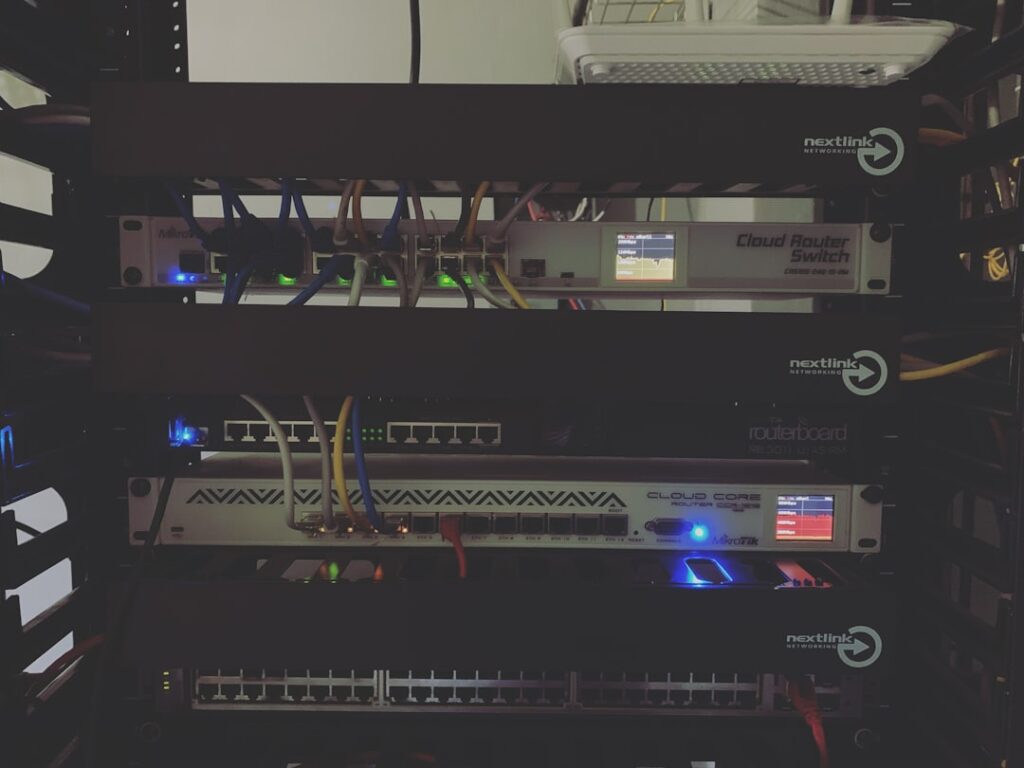
Under the hood, a cloud PBX is a distributed system of SIP proxies, media servers, and Session Border Controllers (SBCs) orchestrated to handle call signaling and media transport at scale. Understanding this architecture matters when you are evaluating reliability, security posture, and integration capabilities.
Call signaling in a cloud PBX travels over SIP (Session Initiation Protocol). When a user dials an extension or external number, their SIP client (desk phone, softphone, or mobile app) sends a SIP INVITE message to the cloud PBX platform. The caller dials a number, the network routes the call to the SIP provider, the SIP provider forwards the call to your SIP trunk, and your PBX receives the SIP INVITE and routes it to an extension, queue, or IVR. Media (RTP) then flows directly between endpoints or via media proxies and SBCs for security.
The Session Border Controller (SBC) is a mandatory component in any production cloud PBX deployment. The SBC provides topology hiding, SIP normalization, policy enforcement, and media anchoring. It sits at the perimeter of your cloud PBX environment, protecting the core switching infrastructure from exposure to the public internet while ensuring interoperability between different SIP implementations.
For media encryption, the industry standard pairing is TLS for SIP signaling and SRTP for media transport. TLS secures SIP signaling and SRTP secures the media streams where supported. SRTP extends RTP to include encryption and authentication so that all SIP and WebRTC conversations are as secure as possible — with audio and video media data transported and protected by SRTP/DTLS-SRTP with AES-256 encryption.
Multi-tenancy is the architectural feature that makes cloud PBX economically viable for service providers and enterprises with multiple business units. A multi-tenant architecture is essential for a cloud PBX given its need to serve many businesses — in this setup, each business acts as a separate tenant within the cloud PBX, and these tenants are isolated from one another, each perceiving that they have their own dedicated PBX in the cloud. Without true multi-tenancy, service providers would need to set up a separate PBX instance for each tenant — an approach that would not only be challenging to manage and maintain but would also consume massive server resources.
Modern cloud PBX platforms are also incorporating WebRTC to extend browser-native communication. WebRTC delivers peer-to-peer media with DTLS-SRTP encryption, Data Channels for co-browsing, and ML-driven congestion control for consistent quality over variable networks — with Selective Forwarding Units enabling scalable video rooms, click-to-call in Salesforce and HubSpot, and in-app softphones without desk hardware or plugins.
Core Features of a Cloud PBX System

The feature set of a mature cloud PBX goes well beyond basic call handling. These are the capabilities that translate directly to operational efficiency, compliance coverage, and measurable business outcomes.
Auto-Attendant and IVR
An auto-attendant acts as a virtual receptionist, greeting callers with a customized message and providing options to route them to the appropriate department or extension. In a cloud PBX, multi-level IVR trees are configured entirely through a web interface — no vendor ticket, no engineer call. Look for solutions that let you edit menus without raising a support ticket, schedule time-based routing, and connect directly with call queues — rigid configuration is often a sign of a legacy system disguised as cloud.
For enterprises, the business value is direct: a well-configured IVR reduces receptionist load, ensures calls land with the right team on the first attempt, and maintains professional call handling outside business hours. Intelligent routing goes beyond a basic queue — it distributes calls based on agent skills, real-time availability, business hours, and customer priority, ensuring VIP clients reach the right people first while general volume is distributed efficiently. For customer service and sales teams, this has a direct impact on NPS, average handling time, and first-contact resolution rates.
Extension Dialing and Call Routing
Having a phone system freed from a physical location makes it easier to unify multiple offices and remote workers — everyone is accessing the same system from wherever they happen to be, which means you can transfer calls, dial with 4 digits, and engage in ad hoc conferencing with people in the next state as easily as with people in the next cubicle.
Calls can be automatically routed based on predefined rules, such as time of day, caller ID, or user availability. For multi-site enterprises, this means a single dial plan spanning every office, remote worker, and mobile employee — no separate systems to manage per location, and no caller experience degradation when staff work from home.
Voicemail-to-Email and Unified Messaging
Many cloud PBX platforms come bundled with unified communication tools including video meetings, business texting, team messaging, and AI-driven insights. Voicemail-to-email delivers audio files and transcriptions directly to a user’s inbox, eliminating the need to dial into a voicemail system. Instant transcriptions of voicemail, video, and customer call recordings can be received and managed with flexibility — listening to, organizing, and sharing transcribed messages directly from the desktop or mobile app.
Call Recording and Compliance
Call recording is valuable for training, quality assurance, and compliance requirements — and hosted PBX systems allow easy recording with secure cloud storage of call recordings. For regulated industries, the compliance angle is non-negotiable. Regulatory compliance considerations include E911, CDR retention policies, call recording consent under GDPR and region-specific rules, and number portability requirements.
From a compliance and training standpoint, searchable transcriptions simplify audits, help identify patterns in customer interactions, and support team development — a capability that was once reserved for enterprise-level corporations is now accessible to mid-sized businesses.
Integration with CRM and Business Tools
CRM integration allows seamless data synchronization between the two systems, enabling sales and support teams to access real-time customer information during calls. Production-grade cloud PBX platforms expose REST APIs or pre-built connectors for Salesforce, HubSpot, Zoho, and Microsoft Teams. Check whether the system integrates with the tools your company already uses — CRMs like HubSpot, Zoho, Salesforce, Bitrix24, or Odoo; platforms like Microsoft Teams; and helpdesk systems. Open API support is a valuable bonus for future customization.
For CTOs evaluating platform architecture, API depth matters as much as the feature checklist. A cloud PBX with a well-documented REST API lets your development team build custom workflows — screen-pop integrations, automated call logging, CDR-driven analytics dashboards — without being locked into the vendor’s native UI.
Cloud PBX vs. On-Premise PBX: Cost, Scalability, and Maintenance
When evaluating PBX systems, upfront price alone is misleading. Total Cost of Ownership (TCO) looks at all costs over a defined period — including hidden operational expenses — giving a more realistic comparison. The table below maps the key dimensions decision-makers use to evaluate both approaches.
| Dimension | Cloud PBX | On-Premise PBX |
|---|---|---|
| Upfront Cost | Minimal — no server hardware required; costs begin at a per-user monthly subscription | High CapEx — hardware, licensing, installation typically $500–$1,000 per user for initial setup |
| Ongoing Cost Model | Predictable monthly subscription fee per user; minimal upfront cost, typically just for IP phones if needed | Large upfront investment in hardware and software, then depreciated over time; ongoing costs are generally lower but can be unpredictable (e.g., hardware failure) |
| 5-Year TCO | Replaces unpredictable CapEx with flat monthly per-user fees, eliminating hardware purchases, maintenance contracts, power/cooling, and refresh cycle costs — organizations typically see 30–40% TCO reduction over 5 years | TCO of IT infrastructure can often be 3–5× the initial purchase price over its lifespan when all factors are considered |
| Scalability | Adding a new extension takes under five minutes, done entirely through the web interface — no technician required | Scaling requires ordering hardware, scheduling on-site installation, and IT resource allocation |
| Maintenance | Hands-off — updates, patches, and system upgrades are handled by your provider and typically rolled out automatically | Managing an on-premise PBX involves software updates, security patching, troubleshooting, and hardware maintenance — tasks that require technical skills |
| IT Dependency | Requires little to no in-house support — a great way to free up IT resources to work on projects more strategic to your business | Requires dedicated IT expertise or a managed service contract |
| Disaster Recovery | Cloud providers operate multiple data centers in different locations — if one server or region goes offline, calls are automatically rerouted through another, often without you noticing. This “geo-redundancy” is a major advantage of the cloud. | An on-premise PBX is a single point of failure — if the system in your office goes down due to power loss, equipment failure, or a storm, your phones stop working until it is fixed. |
| Internet Dependency | Fully dependent on internet connectivity — a redundant WAN connection is recommended | Internal calls do not rely on internet connectivity, ensuring communication continuity even if your internet service is down |
| Remote Work Support | Native — users connect via softphone or mobile app from any location | Requires additional configuration (VPN, remote SIP), adds complexity and latency |
| Best Fit | Growing teams, distributed workforce, multi-site operations, organizations preferring OpEx | Massive, static workforce (500+ users) planning to use the system for 7–10 years without changes |
At scale, cloud PBX delivers flexibility and lower operational risk, but long-term TCO can exceed on-premise or hosted options for stable headcounts with strong internal IT capabilities. The honest framing: cloud PBX wins on agility, operational simplicity, and remote work enablement. On-premise wins on long-term cost predictability for large, static headcounts and scenarios requiring internet-independent internal calling.
Deployment Models: Public Cloud, Private Cloud, and Hybrid
Cloud PBX is not a single deployment topology. The right model for your organization depends on your control requirements, compliance obligations, existing infrastructure, and internal IT capacity. There are three primary approaches.
Public Cloud (Fully Managed / Turnkey)
In this model, the entire PBX infrastructure — SIP proxies, media servers, SBCs, management portal — is hosted and operated by a third-party provider on shared infrastructure. Your organization provisions users, configures routing, and manages features through a web portal. There is no infrastructure for your IT team to manage.
This is the right fit for organizations that want to deploy fast, avoid infrastructure complexity, and prioritize per-seat cost efficiency. Turnkey solutions support dynamic scaling, enabling businesses to add or remove users with ease. The trade-off is reduced control over data residency, configuration depth, and upgrade timing — your roadmap is the provider’s roadmap.
Private Cloud (Bring Your Own Infrastructure / Self-Hosted)
Here, the cloud PBX software runs on infrastructure you own or lease — whether that is dedicated bare-metal servers in a colocation facility, or VMs on AWS, Azure, or GCP. This model allows service providers and enterprises to deploy cloud PBX within their own infrastructure or cloud environments, granting full control over customization and management — and in most cases requires deploying a complete cloud hosting architecture including SBC servers, a PBX hub server, and a central management platform.
The advantages are significant for certain use cases: full control to configure the system to align with diverse customer needs and compliance standards; all sensitive customer data managed in-house for greater security and privacy; seamless integration with existing IT systems and workflows; and a compliance advantage that makes this ideal for handling customers with stringent regulatory requirements.
The downside: this demands a skilled IT team to handle hardware, software, and ongoing maintenance — it is ideal for enterprises with robust IT departments that can manage the added complexity.
Hybrid Deployment
A hybrid model bridges existing on-premise PBX infrastructure with cloud-based capabilities via SIP trunking. You can link your current on-premises PBX to a cloud-based provider using SIP trunking — SIP trunks bridge your existing PBX to the PSTN via the internet, replacing traditional phone lines or primary rate interfaces (PRI).
Combining SIP trunking with a cloud phone system offers cost savings, geographic flexibility, and business continuity — allowing businesses to access enterprise-level features while leveraging existing PBX investment. SIP trunking offers a hybrid solution to connect legacy systems to the cloud, and when transitioning from an on-site traditional PBX, you can implement your cloud PBX in stages to ensure uninterrupted business communications.
Hybrid is the practical choice for enterprises with significant remaining value in existing phone hardware, or for organizations that need to migrate at a pace that minimizes operational disruption. It is not a permanent architecture — it is a transition strategy.
Key Selection Criteria for Enterprise Buyers
Choosing a cloud PBX platform is a multi-year infrastructure commitment. These are the criteria that separate platforms capable of handling enterprise requirements from ones that will create friction at scale.
SIP Trunk Compatibility and Carrier Flexibility
Carrier lock-in is a real risk. A cloud PBX that only works with the vendor’s own SIP trunks limits your ability to negotiate rates, add redundant carriers, or optimize routing for international traffic. Evaluate whether the platform supports standards-compliant SIP trunking from third-party carriers, and whether the SBC layer handles SIP normalization for interoperability across different carrier implementations.
A mature PBX manages extensions, call routing, call queuing, IVR, voicemail, conferencing, and integrations with CRM or billing systems — and all of that depends on clean SIP signaling between your platform and your carriers. Verify codec support (G.711, G.729, Opus), DTMF handling method (RFC 2833 vs. SIP INFO), and whether the platform supports STIR/SHAKEN for caller ID authentication, which is increasingly required for inbound call delivery in North America.
Multi-Site Support and Failover
For distributed enterprises, the dial plan needs to span every location — offices, remote workers, mobile employees — without requiring separate PBX instances per site. Evaluate how the platform handles call routing across sites, whether it supports geographic number assignment per location, and how failover is architected.
Leading service providers offer robust SLAs with 99.999% uptime and redundancy across multiple data centers. Press vendors on what “redundancy” actually means in their architecture — active-active geo-redundant deployments behave very differently during an outage than active-passive failover with a manual cutover process.
Security, Encryption, and Compliance (GDPR, HIPAA)
Security in a cloud PBX is not a checkbox — it is a configuration requirement that spans signaling, media, access control, and audit logging. Finance (PCI-DSS), healthcare (HIPAA), and EU data processing (GDPR) all require encrypted channels for transmitting sensitive or personal information.
At the protocol level, verify that the platform enforces TLS 1.2 or higher for SIP signaling and SRTP for media. HIPAA requires encryption of electronic protected health information (ePHI) in transit, which includes voice communications carrying patient data. Beyond encryption, evaluate per-tenant call limits to prevent toll fraud, SIP rate limiting at the SBC, anomaly detection for concurrent call spikes, and CDR retention policies that align with your compliance framework.
For cloud PBX, security is managed by the provider — reputable providers invest heavily in enterprise-grade security, redundancy, and compliance certifications (e.g., ISO 27001, SOC 2), which might be beyond the reach of many SMBs to replicate internally. Ask vendors to provide current compliance certifications, not just marketing language about being “HIPAA-compliant.”
Licensing Models and Total Cost of Ownership
Pricing models vary across vendors: pay-as-you-go, per-user, per-channel, or flat-rate options. Each has implications for how costs scale with your headcount and call volume. Per-user pricing is predictable but can become expensive at large scale. Per-channel pricing scales better for high call-volume environments like contact centers. Flat-rate models offer budget certainty but may include features you do not need.
Cloud PBX operates on a SaaS model, which involves perpetual monthly fees typically charged per user or per extension — these fees may seem small initially, but they add up significantly over the years and can increase unexpectedly. Build a 3-year TCO model that accounts for expected headcount growth, feature add-ons, number porting fees, international calling costs, and call recording storage. Factoring these hidden costs into your analysis prevents unpleasant surprises and helps align PBX choice with business risk tolerance.
At Gama Infotech, we work with VoIP service providers, MSPs, and enterprises evaluating cloud PBX deployments — helping teams assess platform architecture, SIP trunk compatibility, multi-tenant design, and compliance requirements before committing to a solution. If you are in the evaluation phase and want a technical second opinion on your shortlist, reach out to our team at sales@gamainfotech.com or call +1-800-581-3963.
Next Steps: Evaluating Cloud PBX for Your Organization
The decision to migrate to a cloud PBX is not primarily a technology decision — it is an operational and financial one. The technology is mature. The protocols are standardized. What differentiates a successful deployment from a painful one is how thoroughly you evaluate the platform against your specific traffic model, compliance requirements, integration landscape, and growth trajectory.
Start with a current-state audit: document your existing call flows, extension count, trunk capacity, peak concurrent call volumes, and any compliance obligations. Then map those requirements against vendor capabilities using the selection criteria above — not the marketing checklist on the vendor’s website, but the actual configuration options and SLAs in their service agreement.
If you are a VoIP provider or MSP considering building or white-labeling a cloud PBX platform — rather than simply reselling a hosted service — the architecture decisions are more complex. Multi-tenant design, SBC placement, carrier interconnect strategy, and billing system integration all need to be right from the start. Retrofitting these after launch is expensive.
Gama Infotech specializes in custom VoIP platform development and white-label cloud PBX solutions for telecom operators, service providers, and MSPs entering the hosted communications market. Whether you are evaluating build vs. buy, architecting a multi-tenant deployment, or migrating an enterprise customer off legacy hardware, our team brings the engineering depth to help you make the right call. Contact us at sales@gamainfotech.com or +1-800-581-3963 to discuss your deployment architecture, capacity planning, and integration requirements.