
I used to think desk phones were one of those “boring but necessary” office things.
You know. Like printers. Or badge lanyards.
But sometime in the last year, I started noticing something weird. The people I talk to most, sales reps, recruiters, support leads, even a couple of old school finance teams, they were… not at their desks. And not just occasionally.
They were taking customer calls from grocery store parking lots. From a kid’s soccer game. From a hotel lobby with terrible lighting. From home offices that look suspiciously like a kitchen counter.
And the calls were still crisp. They still had transfers, holds, extensions, recording. The whole deal.
So yeah. The desk phone is getting replaced. Quietly. One team at a time.
This article is about the 2026 version of that replacement.
A mobile softphone. On your phone. That acts like your business phone system. And, if you set it up right, you stop needing that plastic desk handset entirely.
Not “forward calls to my cell” style. I mean a real replacement.
What a “mobile softphone” actually means in 2026
A softphone used to be basically a VoIP app. You’d install it, maybe connect it to SIP credentials, then cross your fingers and hope it didn’t drop calls the moment you walked out of WiFi range.
In 2026, a mobile softphone is closer to this:
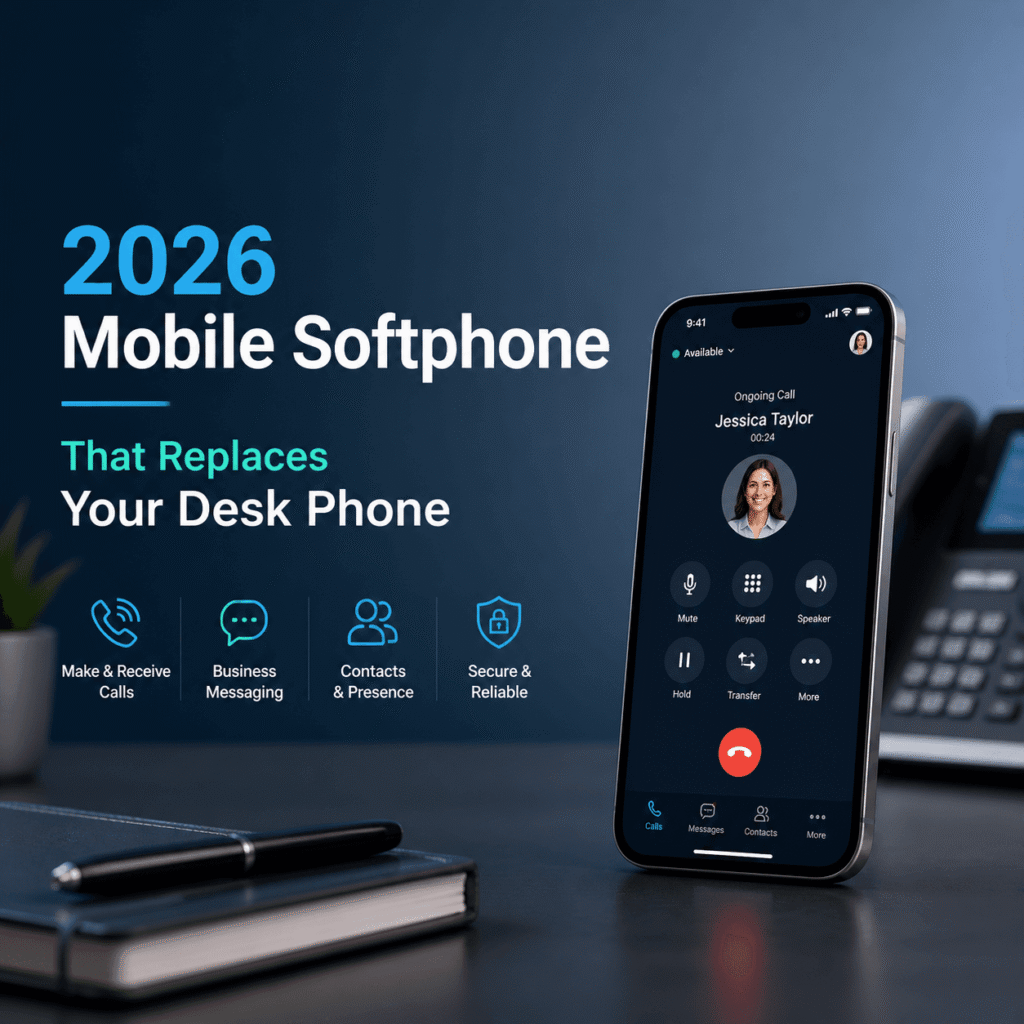
A business calling app that turns your smartphone into an extension of your company phone system, with the same identity and controls you’d have on a desk phone.
So when someone calls your office number…
You answer on your iPhone or Android. It shows the right caller ID. You can transfer to an extension. Park the call. Record it. Put the person on hold. Switch to another device mid call. Pull up notes. Log it to your CRM.
And it feels… normal. Not like you’re hacking something together.
There are a bunch of apps that claim this. But only a few really behave like a desk phone replacement instead of a “call forwarding with a nicer UI” situation.
The desk phone problem nobody wants to admit
Desk phones are fine when you’re always at your desk.
The problem is that most jobs aren’t like that anymore, even in offices.
People bounce between meeting rooms. Work from home two days a week. Travel. Share desks. Do hybrid. Do “I’m at HQ but I’m sitting in the lounge because it’s quieter”.
Desk phones don’t love any of that.
Here’s what usually breaks first:
- You miss calls when you’re away from your desk, even if you’re “available”
- Transferring calls feels clunky when you’re not on the right device
- IT ends up supporting two worlds, desk handsets and mobile
- Numbers get messy, personal cell numbers leak out, customers start calling people directly
- Call recording, compliance, and reporting become inconsistent because half the calls are off system
The mobile softphone solves that. If it’s done properly.
The 2026 checklist, what a desk phone replacement must do
If you’re shopping for a mobile softphone in 2026, I would not start with brands. I would start with capabilities.
Because a lot of products are basically “good enough” until you hit the one feature your team actually needs. Then everything turns into a workaround.
Here’s the real checklist.
1) It needs reliable call quality on both WiFi and cellular
This is the big one. It has to survive real life.
Walking to your car. Switching from office WiFi to LTE. Taking a call in a building where the WiFi is fine but congested. Or the reverse, where cellular is weak but WiFi is solid.
Look for:
- smart network switching, not “disconnect then reconnect”
- good jitter buffering and echo control
- consistent audio even when the phone is under load
- support for modern codecs (the provider usually handles this, but still)
If a softphone sounds great only when you sit still on perfect WiFi, it’s not replacing anything.
2) Business caller ID that stays consistent
You want customers to see your company number. Or your direct line. Not your personal mobile number.
And you want it consistent whether you call from:
- the mobile softphone
- desktop app
- browser
- desk phone (if you still have some)
- call queues
This is where a lot of “cheaper” setups fail. People end up using their personal phone app because it’s easier, then caller ID becomes a mess.
3) Real call handling, not just answer and hang up
A desk phone is basically a call control device. The softphone needs the same.
Minimum:
- hold and resume
- attended transfer and blind transfer
- voicemail with transcription
- DND and presence
- call waiting behavior that is predictable
Better:
- call park and pickup
- shared lines or delegation for exec assistants
- hot desking style login (for shared roles)
- ring groups that actually work on mobile
If your company has reception, support, or sales pods, this matters a lot.
4) Push notification calling that doesn’t drain the battery
Always on VoIP used to kill phone batteries. And sometimes it still does if the app is built poorly.
In 2026, you want a softphone that uses push notifications properly so it can “wake up” for calls without constantly running in the background like it’s 2017.
This is one of those things you only notice when it’s bad.
5) Security and compliance that your IT team won’t hate
Replacing desk phones with mobile is great. Until someone loses a phone.
So you want:
- SSO (Google Workspace, Microsoft Entra ID, Okta, etc)
- MDM support (Intune, Jamf, whatever your org uses)
- encryption in transit
- admin controls for who can record, export, retain
- audit logs
- role based permissions
And if you’re in healthcare, finance, legal, or anything regulated, you need to think about retention policies and where recordings live.
6) Works with your actual workflow, not the marketing demo
This is the difference between “nice app” and “company standard”.
For example:
- Does it integrate with your CRM to log calls automatically?
- Can it pop contact records on inbound calls?
- Can it tag calls, attach notes, or disposition outcomes?
- Can supervisors monitor queues?
- Can you do whisper, barge, or take over on support calls?
Not every team needs all of that. But most teams need at least one of them.
So what is “the” mobile softphone that replaces your desk phone?
In 2026, the answer isn’t one magical app. It’s more like a category of setups.
But the best desk phone replacement is usually:
A mobile softphone provided by your cloud phone system vendor, tightly integrated with the PBX features, plus a decent headset, plus a couple of policy decisions.
That’s the combo that actually sticks.
If you want a simple mental model, here it is:
- The cloud phone system is the brain (numbers, routing, queues, rules)
- The mobile softphone is your handset (but smarter)
- The headset is your audio upgrade (especially in noisy places)
- The policy is what keeps it consistent (so people don’t slip back to personal numbers)
And yes, some companies still keep a few desk phones around for lobby phones, warehouse stations, or emergency fallback. That’s fine.
But most knowledge workers can go fully mobile.
The setup that actually works (and doesn’t turn into chaos)
This is the part people skip. Then they wonder why adoption is low.
Here’s what I’ve seen work in real teams.
Step 1: Decide what number identity each person should have
Pick one:
- everyone calls from the main company number, with extensions
- everyone calls from their direct dial number
- teams call from a shared department number (sales, support)
Then enforce it in the system. Don’t leave it to user preference unless you enjoy inconsistent customer experiences.
Step 2: Define call routing like you mean it
A desk phone implicitly forces routing. Calls go to the desk. If you’re not there, voicemail.
Mobile softphones give you more options, which is great, but only if you choose.
Good defaults:
- ring mobile softphone and desktop app simultaneously
- if no answer, overflow to queue or teammate depending on role
- voicemail transcription to email and app
- after hours rules that don’t require someone to remember to toggle things
Step 3: Set expectations about availability
This is a human thing.
If people think a softphone means they are “always reachable”, they will resist it. Or they’ll disable notifications and then nothing works.
So decide:
- quiet hours
- how DND is used
- whether missed calls must be returned same day
- whether teams should use status like Available, Away, In a meeting
It sounds soft. But it’s the difference between “nice tool” and “I hate this”.
Step 4: Give people a real headset
Holding a phone to your ear for 30 calls a day is not the future.
A good Bluetooth headset makes a mobile softphone feel like a desk phone but better.
Look for:
- multi point (phone and laptop)
- strong mic noise reduction
- comfortable for long stretches
This is the cheapest adoption hack I know.
Step 5: Train the three core actions
Most people don’t need a manual. They need three things to feel confident:
- how to transfer a call correctly
- how to switch audio output (speaker, headset, phone)
- how to find voicemail and call history
If they can do those, the rest comes naturally.
Common objections, and the honest answers
“Mobile apps are unreliable”
Some are. Especially generic SIP clients with weak push behavior.
But modern cloud phone vendors have put serious engineering into reliability because mobile is where the usage is going. The bigger issue tends to be:
- bad WiFi
- too aggressive battery optimization settings on Android
- VPNs or firewalls interfering with VoIP traffic
- cheap Bluetooth headsets causing audio issues that get blamed on the app
So yes, test on your real network. With real devices. Not in a conference room with perfect WiFi.
“I need buttons like my desk phone”
You might. If you’re reception, dispatch, or a high volume support desk, physical keys still help.
But for most roles, the “buttons” are just UI.
And there’s a middle ground: some teams replace desk phones with:
- mobile softphone for mobility
- desktop softphone for heavy call days
- optional hardware like a USB keypad or a small desk device for power users
The point is you’re not forced into one piece of plastic.
“What about emergencies, power outages, internet down?”
A fair one.
Desk phones tied to a local PBX can also fail when the building loses power, unless you have UPS systems everywhere. And if your ISP goes down, desk phones often go down too.
With mobile softphones, you get a different type of resilience:
- cellular networks as backup when WiFi is down
- ability to reroute calls to other locations fast
- cloud systems that can fail over more cleanly than a closet PBX
Still, you should plan for it. Have an emergency routing rule. Know who can change it. Keep at least one backup path.
“People will use their personal number anyway”
They will, if it’s easier.
So make the softphone easier.
- make it one tap to call from the app
- integrate contacts
- set up click to call from CRM
- provide headsets
- make sure caller ID is correct
- stop rewarding the workaround
And honestly, people like having separation. They just don’t like friction.
What to look for when choosing your 2026 mobile softphone provider
Even though the “best” softphone is usually the one that comes with your phone system, you still get choices. And plenty of vendors are competing hard right now.
When you evaluate options, ask these questions and don’t let the sales demo skip them.
“Can I transfer calls easily from mobile, and does it work every time?”
Have them show attended and blind transfer. Have them show transferring to a queue, not just to a person.
Then test it yourself.
“How does the app behave when I switch networks mid call?”
Do a walking test. Literally.
Start a call on WiFi. Walk out of the building. Go to cellular. Walk back in. See what happens.
“Does it support push to talk, paging, or shared lines if I need them later?”
Even if you don’t need it today, requirements grow.
A tool that can’t grow becomes technical debt fast.
“Can you enforce recording and retention policies by role?”
This matters in regulated industries and in any support org that wants consistent QA.
“How does onboarding work?”
If onboarding takes an hour per user, your rollout will be slow and messy.
Good signs:
- QR code activation
- SSO login and auto provisioning
- policy templates by department
- minimal manual configuration
“What does reporting look like?”
Even small teams end up wanting:
- missed calls
- response times
- call volumes by day
- which numbers are getting called most
- queue performance
If the reporting is weak, managers end up in spreadsheets. Always.
The quiet benefits people notice after switching
The funny thing is that the big benefits you expect, mobility, fewer devices, are real.
But the benefits people talk about after a month are usually these:
One number, one identity
Customers stop getting “new” numbers for the same person.
And employees stop giving out their personal numbers “just this once”, then regretting it forever.
Cleaner handoffs
Transfers and internal calls become normal again. Not “hang up and I’ll call you back from the office line”.
Better call notes
When the softphone is tied into the CRM, calls get logged. Notes happen in the moment. Managers get visibility without asking people to self report.
Less desk clutter, and fewer weird points of failure
Desk phones are small devices that still need power, network ports, provisioning, firmware updates, and physical replacements.
You don’t miss them until they’re gone. Then you’re like, oh. That was a lot of hassle for something that makes calls.
A realistic recommendation, what I would do right now
If you’re trying to replace desk phones in 2026 and you want the transition to be smooth, here’s the simplest path that works for most businesses:
- Pick a reputable cloud phone system that has a first party mobile softphone (not a random third party SIP app).
- Roll it out to one department first, usually sales or recruiting, because they feel the pain of desk phones immediately.
- Provide headsets. This is not optional if you want people to enjoy the change.
- Lock down caller ID and routing rules so customers get a consistent experience.
- Collect feedback for two weeks, then expand.
If you do that, you end up with something that genuinely replaces the desk phone. Not a half step.
And it’s kind of freeing, honestly.
Because once your “desk phone” is just an app, you stop designing work around a desk. You design it around people moving around. Which is how it already works anyway.
Let’s wrap this up
A 2026 mobile softphone can replace your desk phone, fully, if it has real call controls, stable quality on WiFi and cellular, proper caller ID, and admin level security.
The tech is ready. The bigger challenge is rollout. Policies. Headsets. Training people on transfers and voicemail so they don’t panic the first time a customer call comes in while they are not sitting at their desk.
But once it clicks, it really clicks.
Desk phones start to feel like fax machines. Still around in a couple corners, but not the default anymore.
And that’s probably the clearest sign we’ve moved on.
FAQs (Frequently Asked Questions)
What is a mobile softphone and how does it replace traditional desk phones in 2026?
A mobile softphone in 2026 is a business calling app that turns your smartphone into an extension of your company phone system, replicating the same identity and controls as a desk phone. It allows you to answer office calls on your iPhone or Android with features like caller ID, transfers, hold, call recording, and CRM integration—offering a true replacement rather than just call forwarding.
Why are traditional desk phones becoming less practical in modern hybrid and mobile work environments?
Desk phones are designed for stationary use at a fixed desk, but today’s workforce often moves between meeting rooms, works remotely, travels, or shares desks. This leads to missed calls, clunky transfers when away from the device, dual IT support for desk and mobile systems, and inconsistent call compliance—making desk phones less effective for modern workflows.
What key features should I look for when choosing a mobile softphone as a desk phone replacement?
Essential features include reliable call quality over both WiFi and cellular with smart network switching; consistent business caller ID across devices; comprehensive call handling such as hold, transfers (attended and blind), voicemail with transcription, DND, presence; efficient push notification calling that conserves battery life; and robust security like SSO integration and MDM support.
How does a mobile softphone maintain call quality during network transitions or challenging environments?
A good mobile softphone uses smart network switching to seamlessly transition between WiFi and cellular without dropping calls. It incorporates jitter buffering, echo control, support for modern codecs, and consistent audio performance even under phone load or congested networks to ensure crisp call quality wherever you are.
Can a mobile softphone keep my personal number private while making business calls?
Yes. A properly configured mobile softphone maintains consistent business caller ID by displaying your company number or direct office line instead of your personal mobile number across all platforms—mobile app, desktop app, browser, desk phone, or call queues—helping keep personal numbers private and professional communication unified.
What security measures should IT teams expect from mobile softphones replacing desk phones?
Security features critical for IT include Single Sign-On (SSO) support with providers like Google Workspace or Microsoft Entra ID; Mobile Device Management (MDM) compatibility through Intune or Jamf; encryption of calls; remote wipe capabilities in case devices are lost; and compliance with corporate policies to protect sensitive communications on mobile devices replacing traditional desk phones.